Create QR Code Field
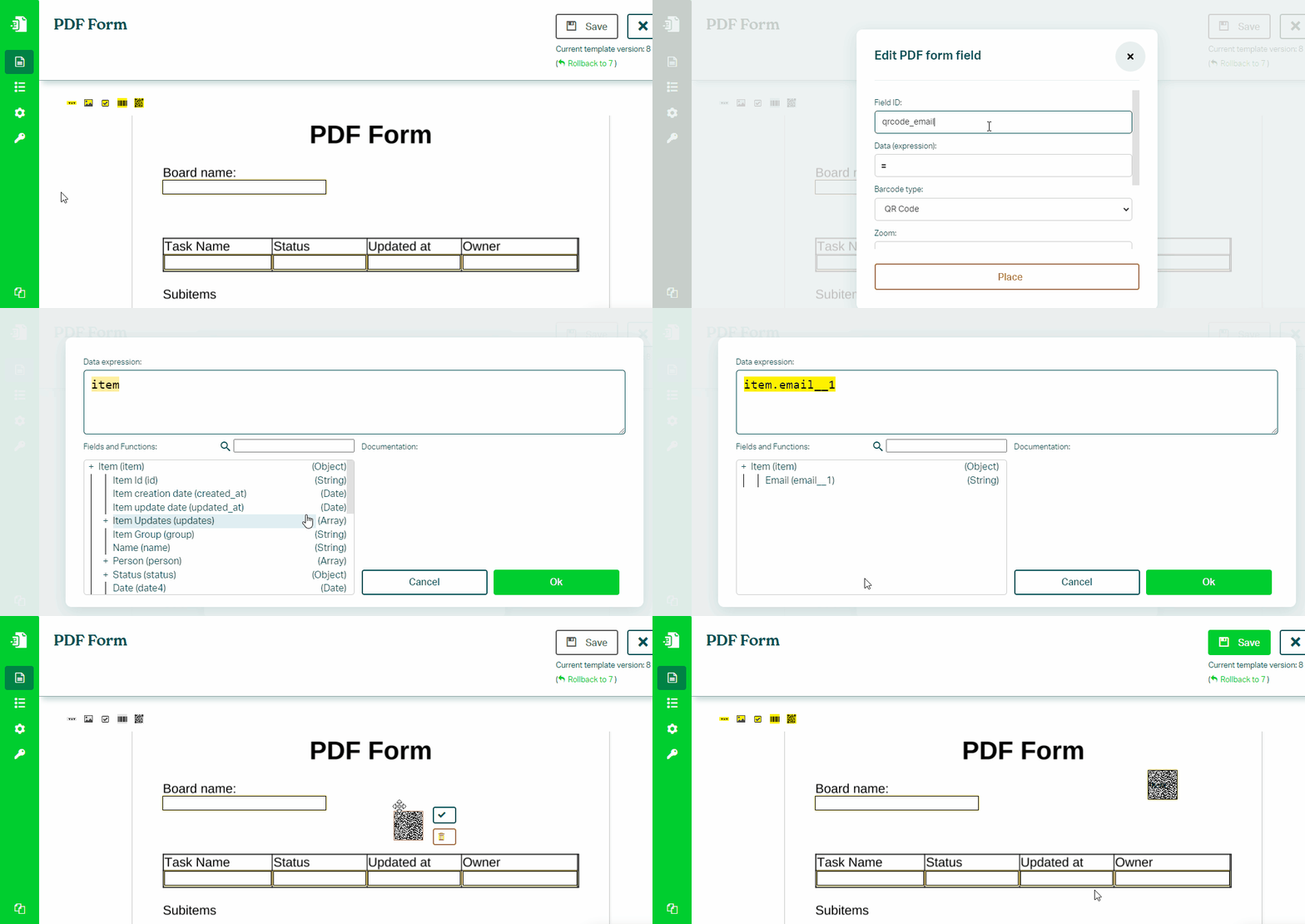
To create a QR code field in a PDF form, follow these steps:
- In the Eledo editor, select the QR Code (Barcodes 2D) tool
- Place the field into your document
- Set a Field ID (letters, numbers, and underscores only; no spaces)
- In Data (expression), provide the value to encode (for example:
item.link.url) - Confirm and apply the configuration
Notes
QR codes encode text — the format of the value determines how it behaves when scanned.
Example:
item.link.url
Related
Was this article helpful?
Yes
No