Populating Checkbox
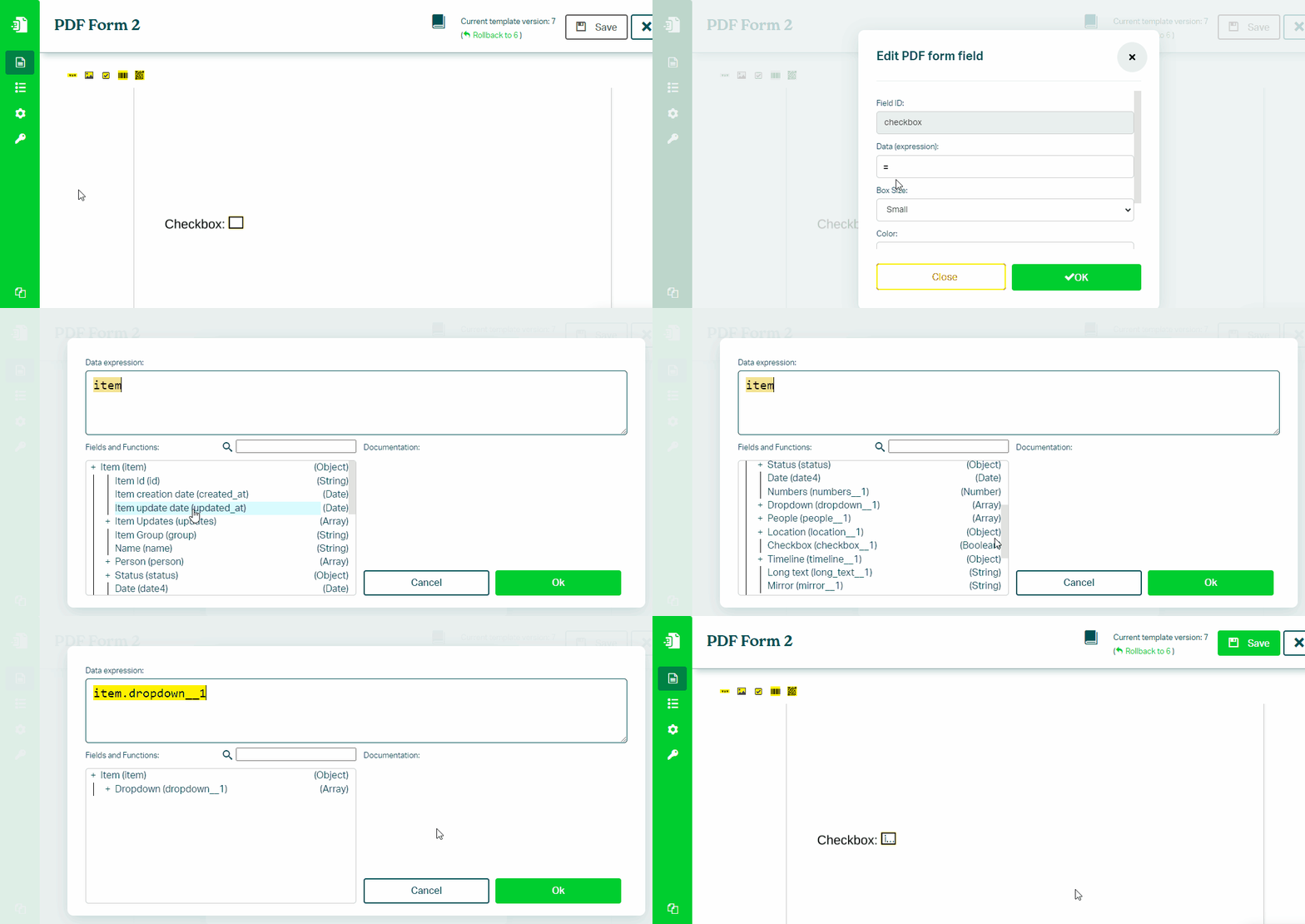
To populate a Checkbox field in a PDF form using data from your monday.com board, follow these steps:
- In the Eledo editor, select the checkbox form field
- Click into Data (expression) to open the expression builder
- Select a checkbox field (for example:
item.checkbox) - Confirm and apply the value
Value Mapping
Checkbox fields require a boolean value (true or false).
You can map values from other column types by using conditions:
Example:
item.status.label == "Monday"

item.number > 100
Was this article helpful?
Yes
No