Printing Formula Column
To print a value from a Formula column in your monday.com board, follow these steps:
- In the Eledo editor, add a Text Box component
- Click into Data (expression) to open the expression builder
- Select a formula field (for example:
item.formula) - Confirm and place the value into the document
Limitations
Formula support in the monday.com API is still evolving and has some limitations:
- Formulas using mirror columns are not supported
- Up to 10,000 formula values can be retrieved per minute
- Up to five formula columns can be queried in a single request
Workaround
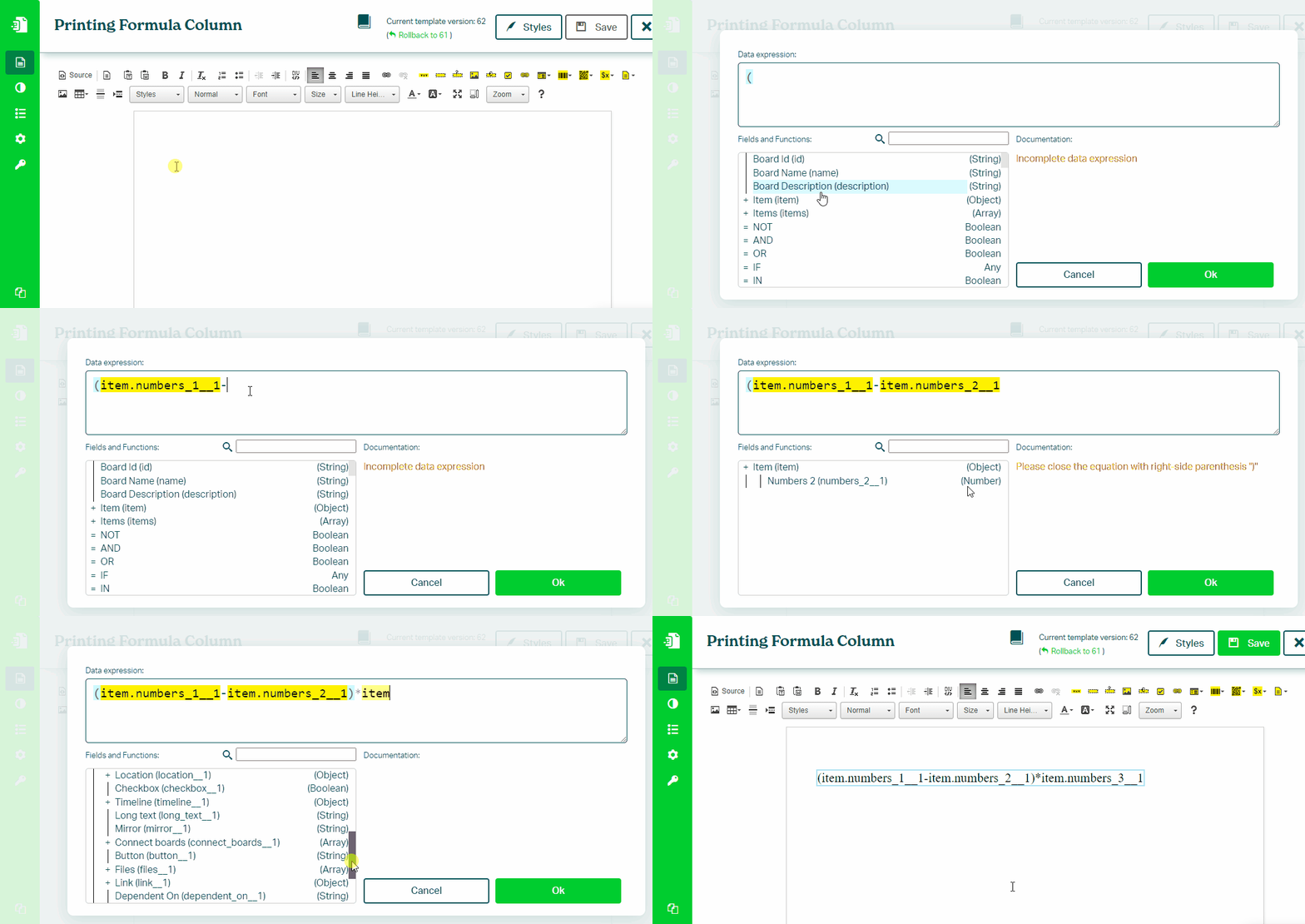
If a formula value is not available via the monday.com API, you can recreate it directly in your Eledo template using data expressions.
Example:
(item.number0 - item.number1) * item.number2
You can use:
If something does not work as expected, contact Eledo support.
Was this article helpful?
Yes
No