Printing Link Column
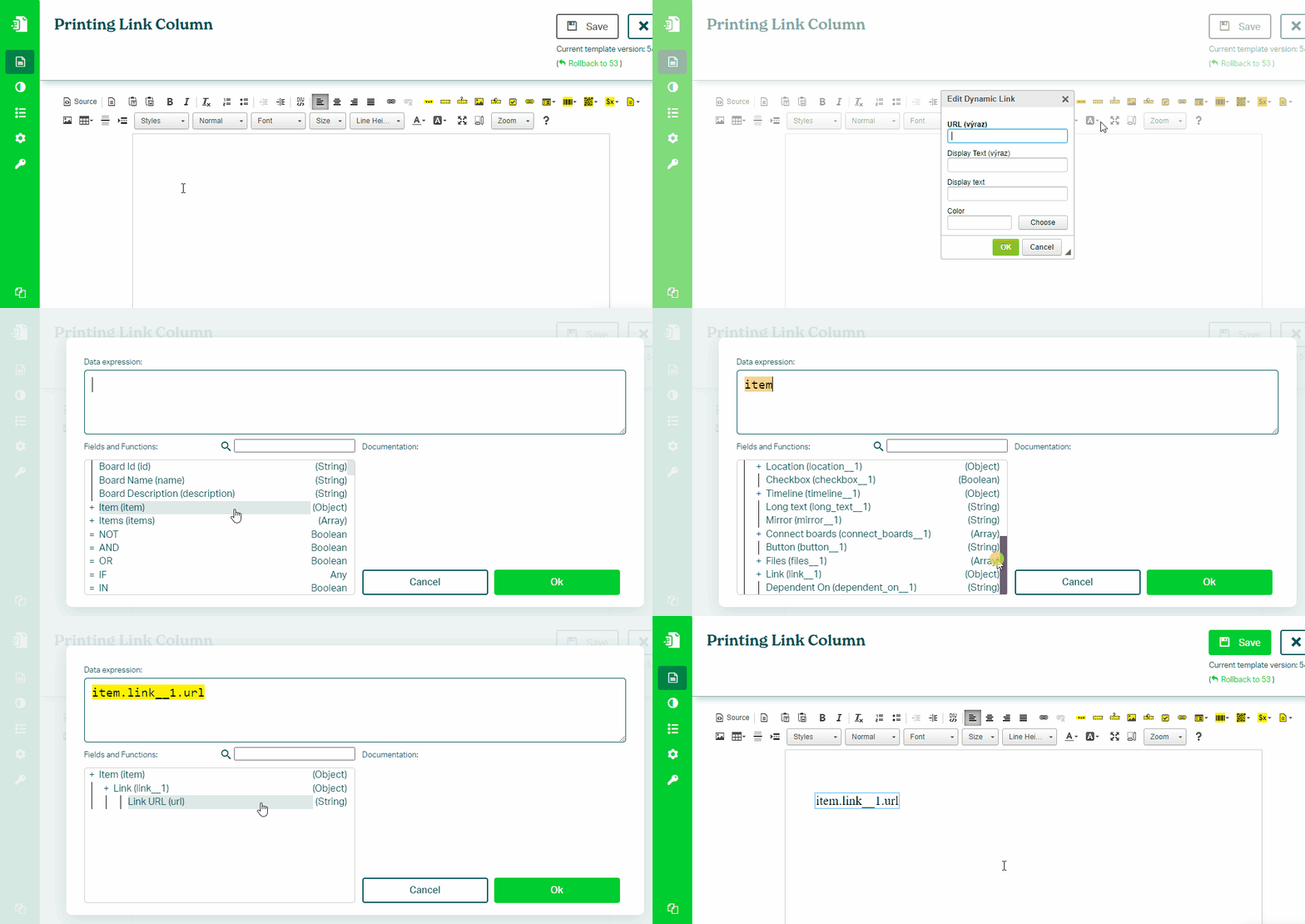
To print a link from a Link column in your monday.com board, follow these steps:
- In the Eledo editor, add a Dynamic Link component
- Click into URL (expression) to open the expression builder
- Select the URL field (for example:
item.link.url) - Optionally set Display Text (expression) (for example:
item.link.text) - Confirm and place the link into the document
Display Text
You can control how the link is displayed:
- Show raw URL
- Show custom static text
- Show dynamic text from the column
Example:
URL: item.link.url
Display Text: item.link.text
Was this article helpful?
Yes
No