Printing Images
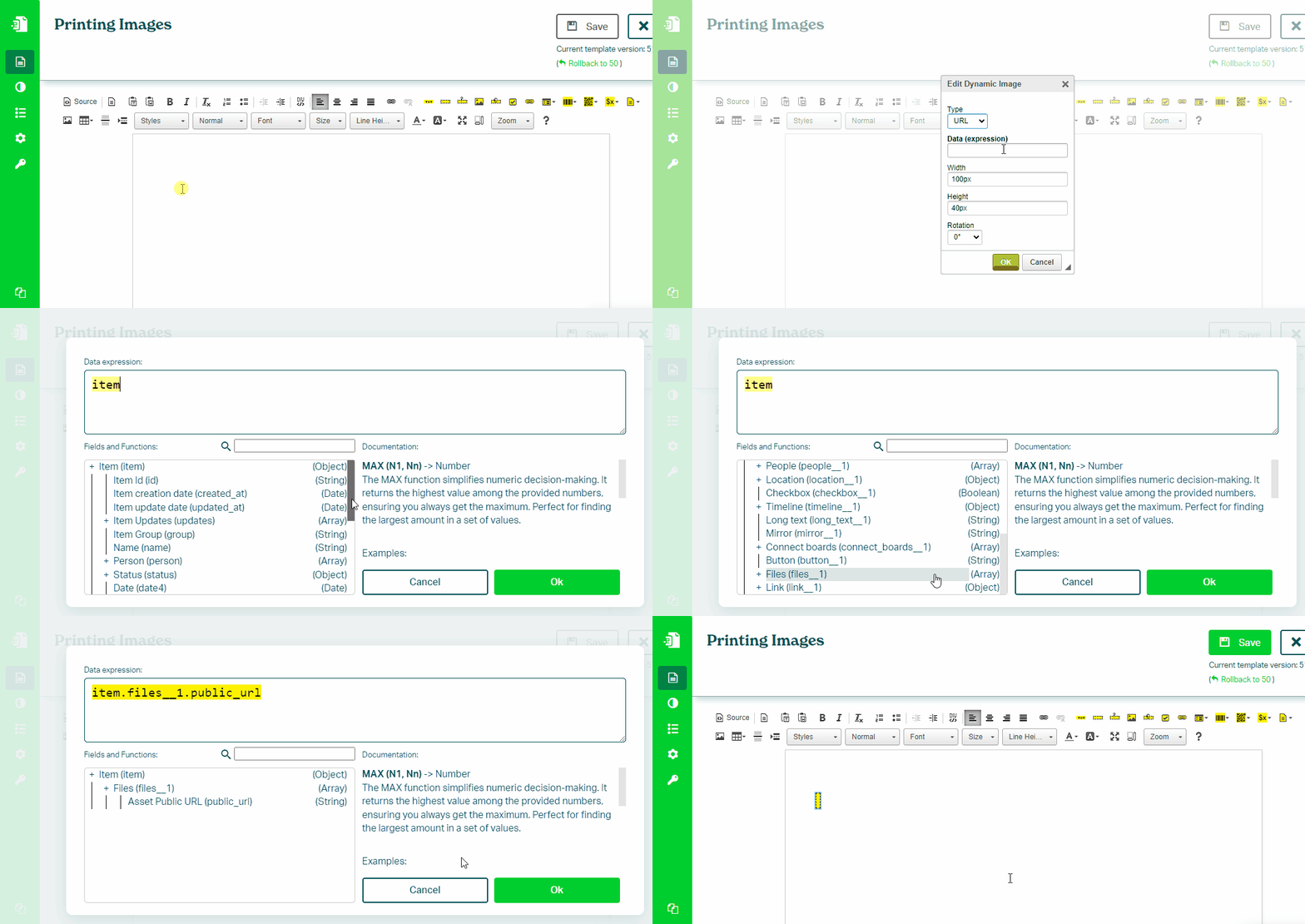
To print an image from a Files column in your monday.com board, follow these steps:
- In the Eledo editor, add a Dynamic Image component
- Click into Data (expression) to open the expression builder
- Select a
public_urlfield from the Files column (for example:item.file.public_url) - Optionally set width or height (if only one is set, the other is calculated automatically to preserve aspect ratio)
- Confirm and place the image into the document
Printing Multiple Images
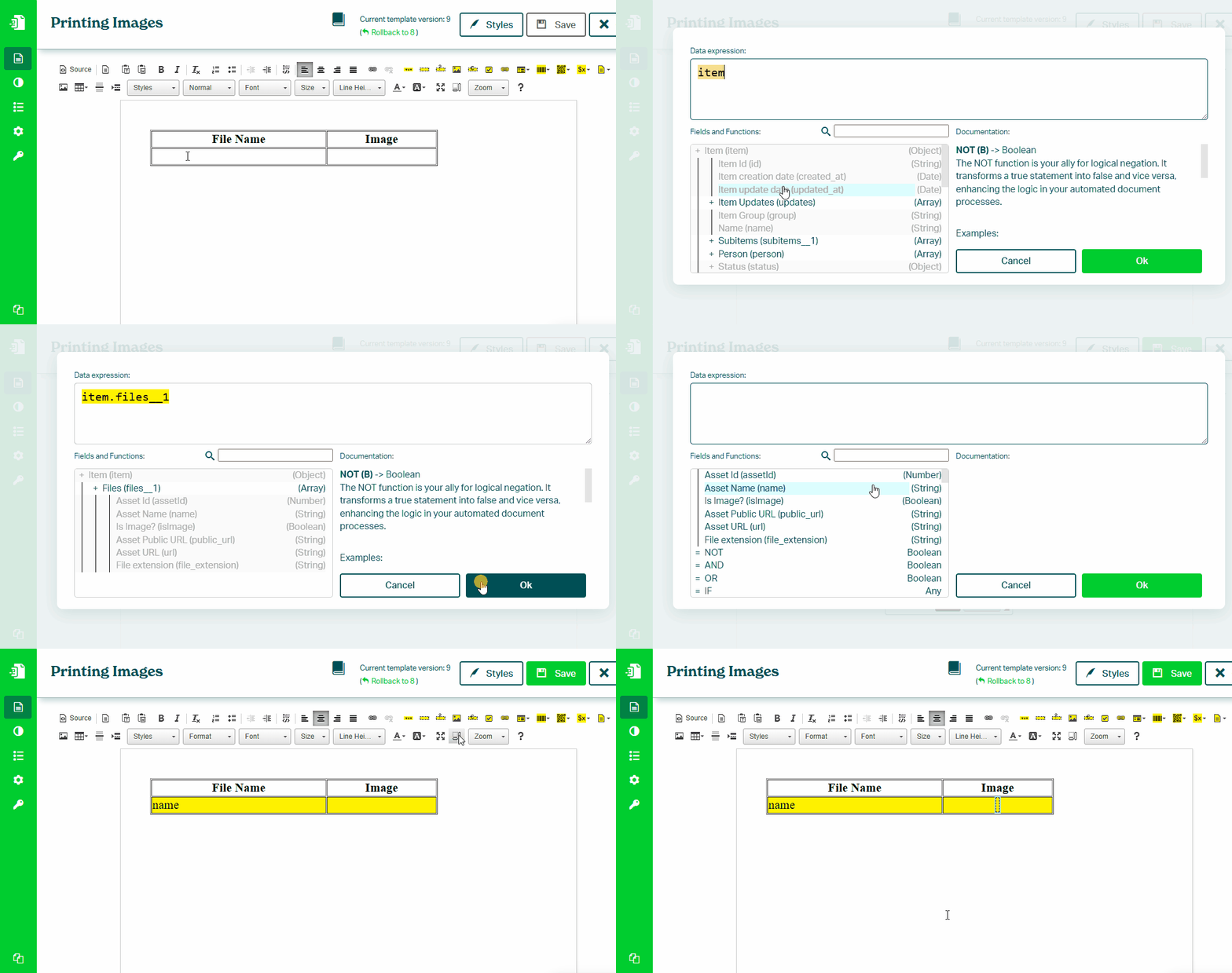
You can also print multiple images from a Files column using Block Repetition.
- Click inside a table row and enable Block Repetition
- Use Select Parent Block to target the table row (TR)
- Set the data expression to the Files column (for example:
item.files)
To print file details:
- Add a Text Box and map the
namefield - Add a Dynamic Image and map the
public_urlfield
If you want to display images inline, see:
Printing Images in Line
Was this article helpful?
Yes
No