Printing Items from Connected Boards
Lists of items, subitems, connected board items, or attachments can be printed using Block Repetition. It can turn any container—such as a table row, table, list item, or paragraph—into a repeatable block.
The idea behind Block Repetition is simple: design a block for a single item, turn it into a repeatable block, and Eledo will print it as many times as there are items in your list.
Let’s look at an example.
One Table Row per Connected Item
Create a table with two rows:
- one for column headers
- one for values
Set the table width as needed. Place the cursor in the second row and click Block Repetition.
The configuration window will open. By default, the selected block is a table cell (TD), but we want to repeat the entire row. Click Select Parent Block to change the selection to the table row (TR).
In Data (expression), select:
item.connected_boards
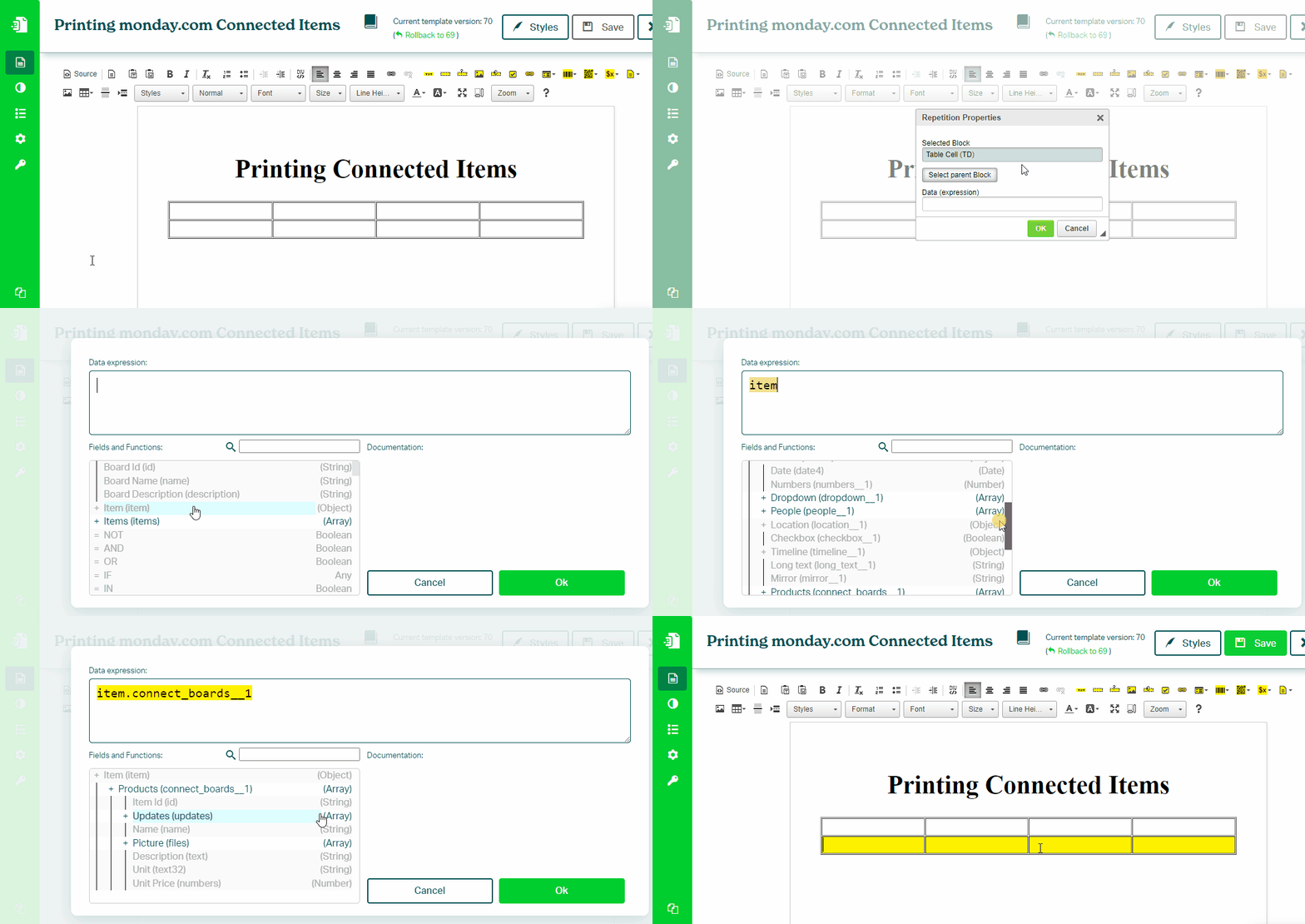
This setup ensures the row is repeated for each connected item.
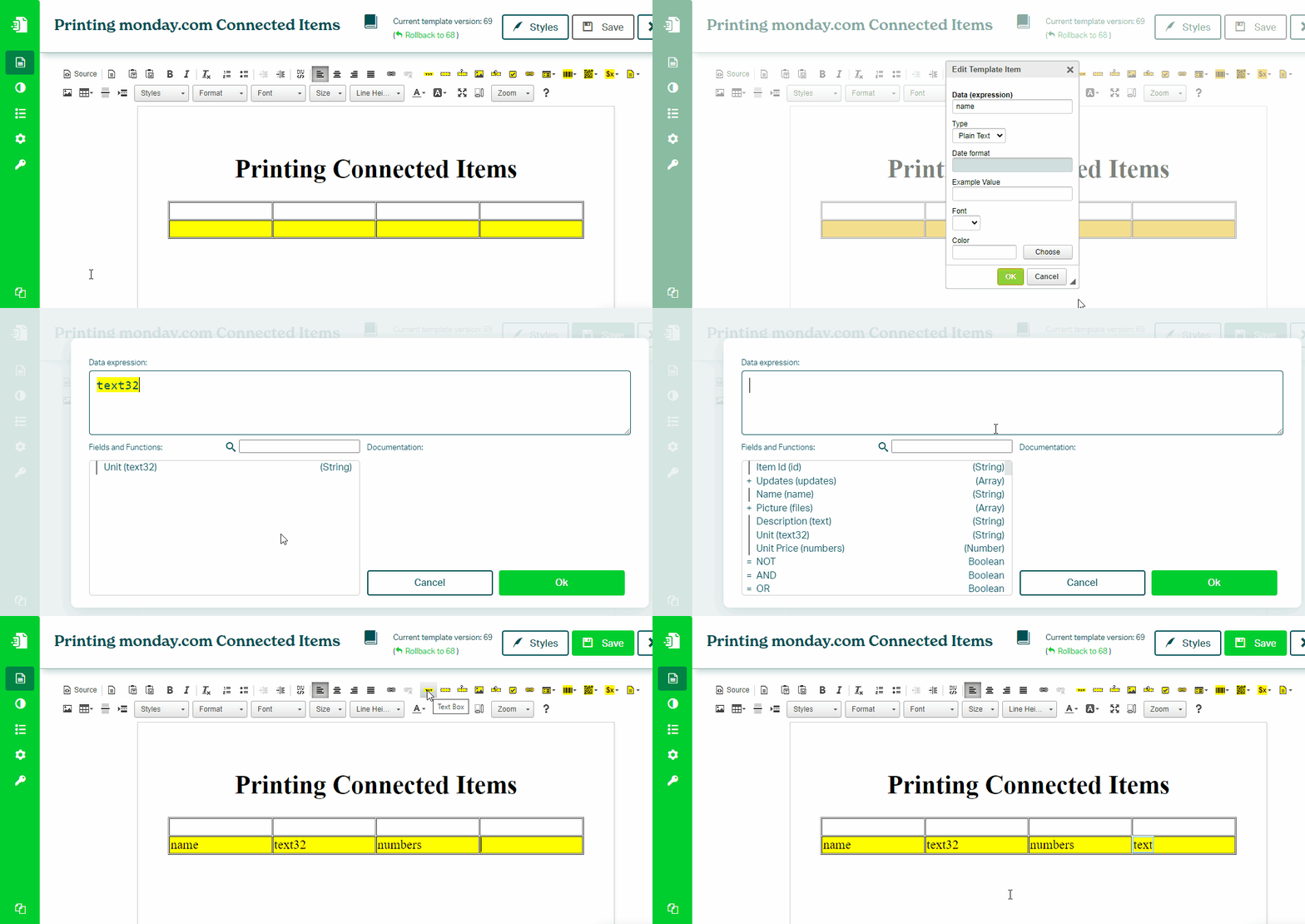
To print values, place Text Box components inside the repeated row.
Data Context
Block Repetition changes the data context.
Inside the repeated block, use connected item fields directly, without prefixes such as item. or item.connected_boards.