Document Not Created
In some cases, a document may not be created or may not appear in the Files column shortly after triggering its creation.
Here are a few steps to help identify the cause.
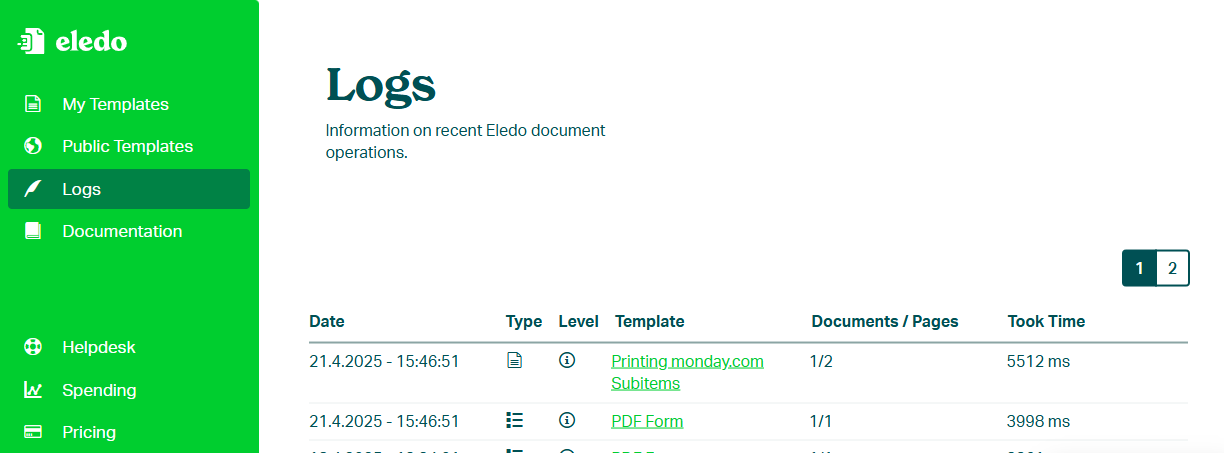
Check Eledo Logs
Open the Eledo app and navigate to the Logs page. Here you can check whether your request reached Eledo and how it was processed.
- White line → successful processing
- Yellow line → warning
- Red line → error
Click on a log entry to view more details.
Check monday.com Automation Run History
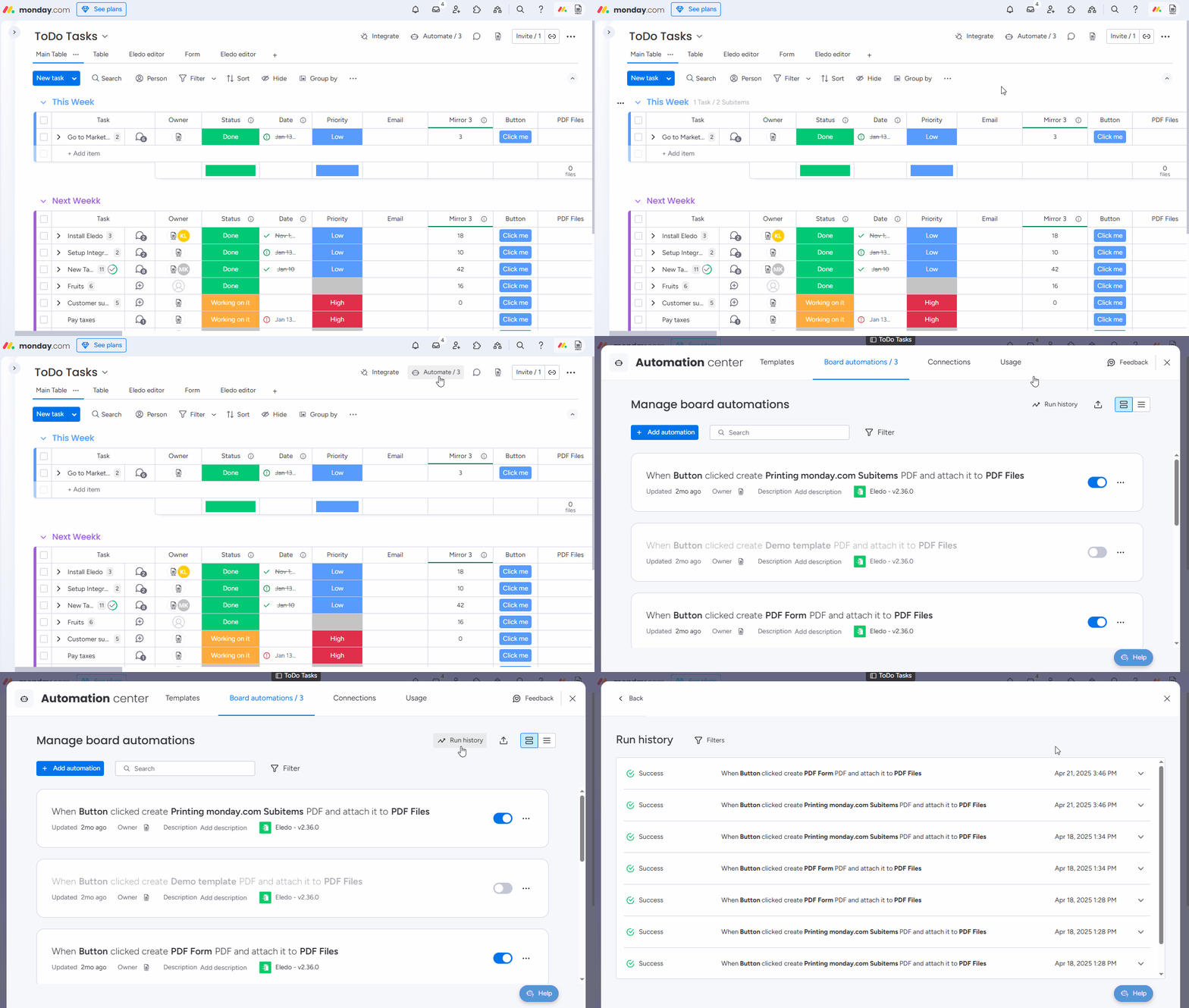
If there is no Eledo log entry, the monday.com automation may not have been triggered.
Check the status of your automation in the Run history section of the Automations center.
Refresh the monday.com Board
In some cases, the automation has completed and the Eledo log is present, but the PDF file is not visible in the Files column.
Try refreshing the monday.com board page in your browser.
Why the Delay?
Multiple processing steps are involved, and delays may occur during peak usage.
Additional time may be required to:
- retrieve images
- load data from connected boards
- generate the final document
Eledo Logs provide visibility into the processing flow and timing.
Get Help
If the issue persists, contact the Eledo Helpdesk.