Data Output
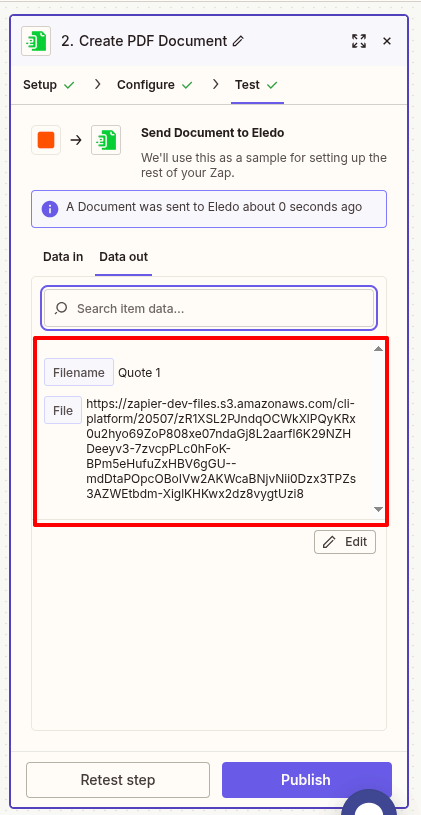
The Eledo app in Zapier currently supports a single output type — File.
After a successful execution, Eledo returns a generated PDF file. Zapier makes this file available as a downloadable URL and as a mappable variable for subsequent steps.
Using the Output in Other Steps
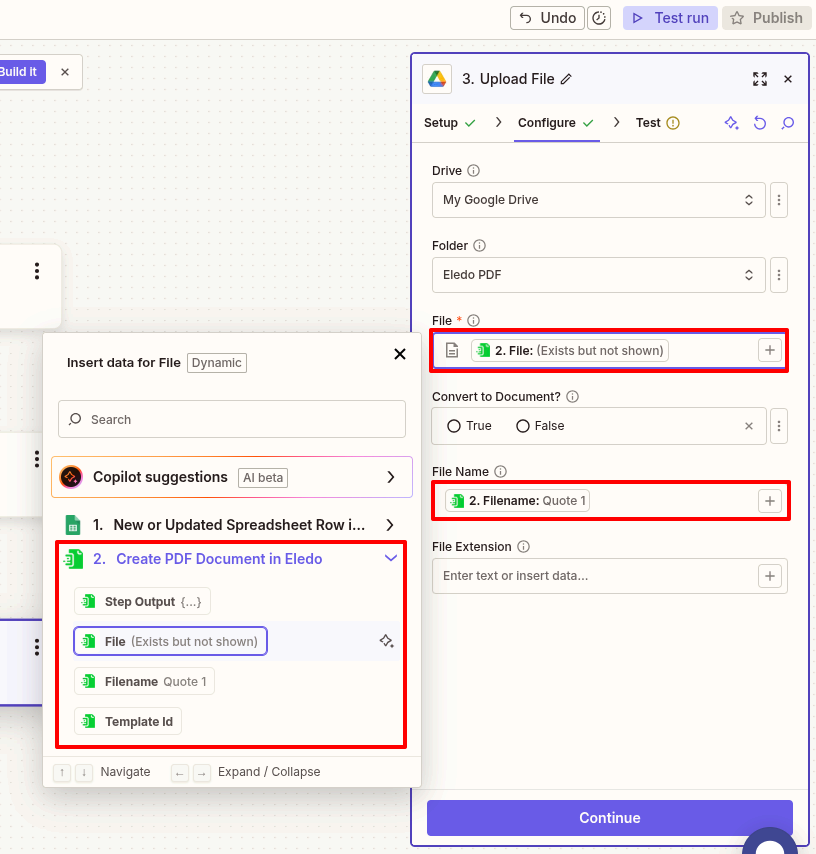
In steps that follow the Eledo action, you can reference the generated file just like any other output value.
For example, you can:
- Upload the file to Google Drive
- Send it via email
- Attach it to a CRM record
- Store it in another storage service
To use the file:
- Click the
+icon in the target field. - Select the File output from the Eledo step.
- Optionally, map the Filename field if the receiving app supports custom naming.
Zapier ensures the file remains accessible during the Zap execution.
Was this article helpful?
Yes
No