Template Editor
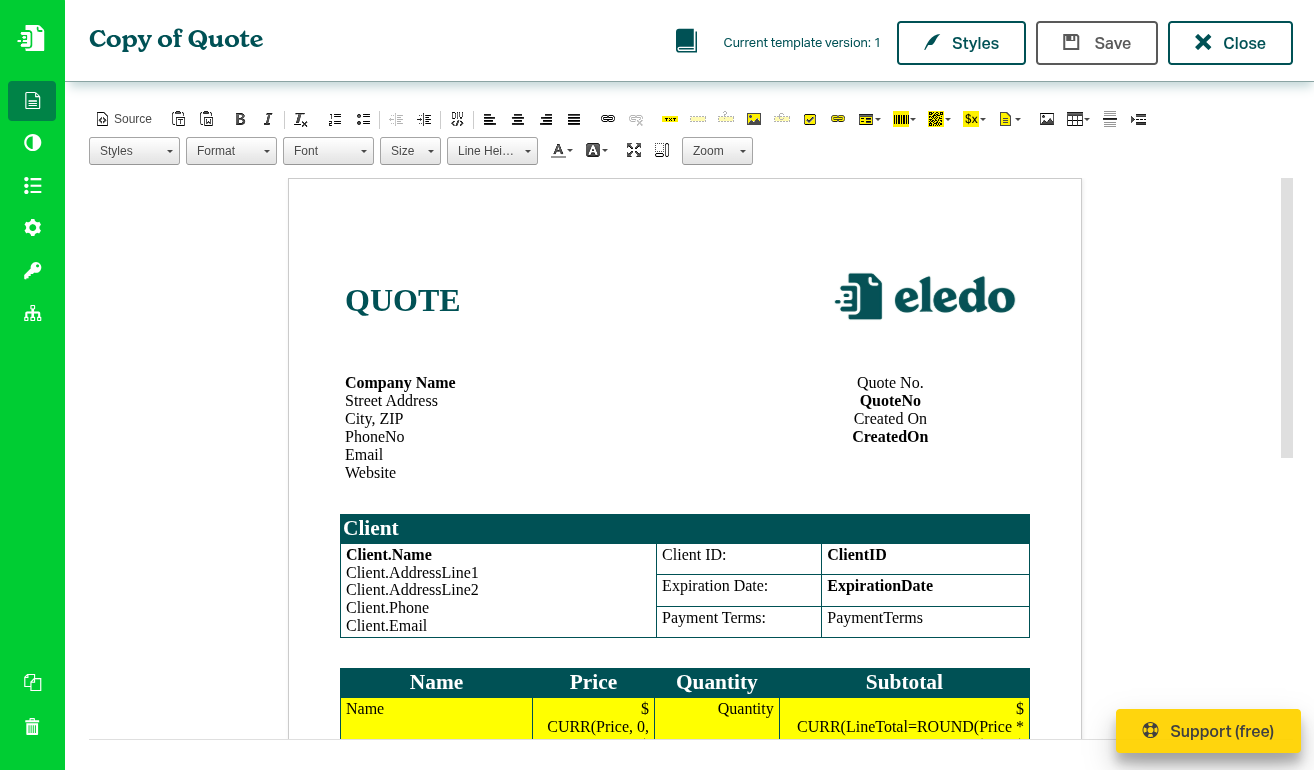
The Template Editor is the core tool in Eledo. It allows you to create and modify document templates that are later used to generate PDFs.
With the editor, you design how your document looks and define how data is inserted into it when the document is generated.
How it works
Eledo uses a visual editor (WYSIWYG — What You See Is What You Get).
You build your document directly on the page, similar to a text editor:
- add and format text
- insert dynamic fields (name, price, date, etc.)
- structure the layout visually
When the document is generated, Eledo replaces these fields with real data.
Editor modes
The Template Editor supports two ways of working, depending on your needs:
Visual mode
The default mode.
- edit your document visually
- insert components at the cursor position
- see the result as you build
This is the recommended mode for most users.
Source mode
For advanced use cases, you can switch to source mode.
- edit the underlying HTML
- fine-tune layout and structure
- make precise adjustments not available in the visual editor
This mode is intended for advanced use cases.
Components
Components allow you to insert dynamic content and logic into your document.
Templates are built using components.
You can insert them from the toolbar into your document.
Common components include:
- Text Box — display dynamic text values
- Dynamic Checkbox — show true/false values
- Block Repetition — repeat content for lists (e.g. invoice items)
- Block Condition — show or hide parts of the document
- Dynamic Image — insert images from data
Each component can be configured to control how data is displayed.
Placement and editing
Templates are built using a cursor-based workflow:
- place the cursor where you want content
- select a component from the toolbar
- configure it
- insert it into the document
The component is inserted exactly at the cursor position.
You can then adjust the layout using standard editing actions such as typing, line breaks, and formatting.
What you can build
With the Template Editor, you can create:
- invoices
- certificates
- reports
- contracts
- any structured PDF document
From simple templates to complex documents with dynamic content and logic.
Next steps
- Explore available components → Components
- Learn how to use expressions → Expressions
- Learn how to format values → Printing Text