Create Div Container
Create Div Container allows you to group content inside a container block.
It is used to organize layout and apply shared styling to a section of the document.
info
This is an advanced feature used for layout and styling control.
Add a Div Container
To insert a container:
- Place the cursor where you want the container
- Click the Create Div Container icon in the toolbar
- Configure the container
- Confirm to insert
The container is inserted at the cursor position.

Configuration
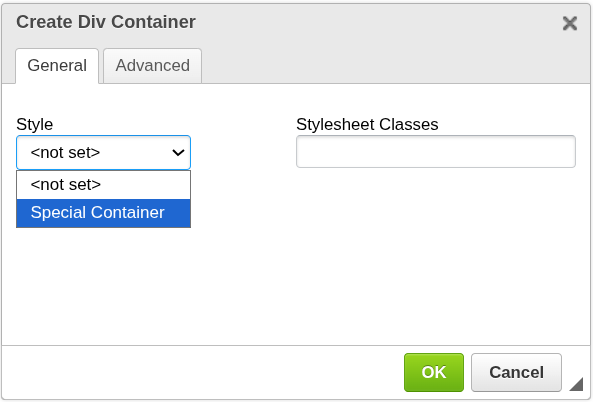
Style
Applies a predefined container style.
<not set>— default behaviorSpecial Container— predefined styling (if available)
Stylesheet Classes
Allows you to assign custom CSS classes.
- used for advanced styling
- requires configuration in Styles mode
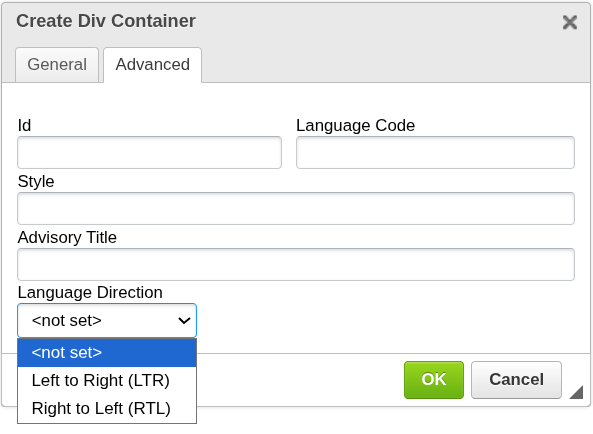
Advanced options
Additional HTML attributes for advanced use:
- Id — unique identifier for the container
- Language Code — language metadata
- Style — inline CSS styles
- Advisory Title — additional metadata
- Language Direction — text direction (LTR / RTL)
How it works
- A container wraps the content placed inside it
- You can insert text, components, or other elements inside the container
- Styling can be applied to the entire container
When to use Div Container
Use a Div Container when you need to:
- group related content
- apply shared styling to a section
- create structured layouts
Important notes
- Div Containers are an advanced feature
- Incorrect styling may affect layout
- Often used together with Styles mode
Next steps
- Apply global styles → Styles Mode
- Edit structure → Source Mode
Was this article helpful?
Yes
No