Paste Options
Paste Options allow you to control how content is inserted into the editor.
They are primarily used when pasting content from external sources.
Where to find Paste Options
Paste options are available in the editor toolbar.

Available options
Paste as Plain Text
Inserts content without formatting.
- removes styles, fonts, and layout
- keeps only raw text
Paste from Word
Optimizes content pasted from Microsoft Word.
- attempts to preserve structure
- cleans up unsupported formatting
How it works
When using these options, a dialog window may appear.
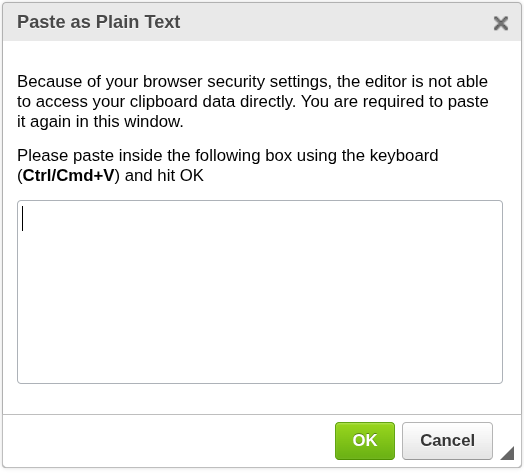
- Paste your content into the dialog using Ctrl/Cmd + V
- Confirm to insert it into the document
This behavior depends on browser security restrictions.
Important notes
- Some browsers do not allow direct clipboard access
- In such cases, the editor uses a dialog as a workaround
- Behavior may differ depending on your browser
When to use Paste Options
Use Paste Options when you need to:
- remove unwanted formatting
- paste clean text
- import content from Word documents
Next steps
- Adjust formatting → Basic Formatting
- Work with structure → Lists
Was this article helpful?
Yes
No