Grouping Table Rows
You can group rows in a table by combining nested Block Repetition components with the UNIQUE() and FILTER() functions.
The idea is:
- build a list of unique values for the column you want to group by
- repeat the table body for each unique value
- repeat the matching rows inside each group
This guide groups rows by the team field.
How it works
The grouping uses two nested repetitions:
- the outer repetition iterates over unique group values
- the inner repetition filters rows belonging to the current group
The outer repetition is applied to the table body (tbody), and the inner repetition is applied to the second table row inside that body.
The first row prints the group label.
The second row repeats the items in that group.
Preparing the table
The table must have a specific structure for this use case.
Eledo currently creates a simplified table in the visual editor, so you need to switch to Source Mode and adjust the HTML manually.
The table should have:
- a
theadfor the header - a
tbodywith two rows - the first body row spanning all columns
- the second body row used for repeated items
Example:
<table border="1" cellpadding="1" cellspacing="1" style="width: 500px;">
<thead>
<tr>
<th>Name</th>
<th>Email</th>
<th>Phone</th>
<th>City</th>
</tr>
</thead>
<tbody>
<tr>
<td colspan="4"> </td>
</tr>
<tr>
<td> </td>
<td> </td>
<td> </td>
<td> </td>
</tr>
</tbody>
</table>
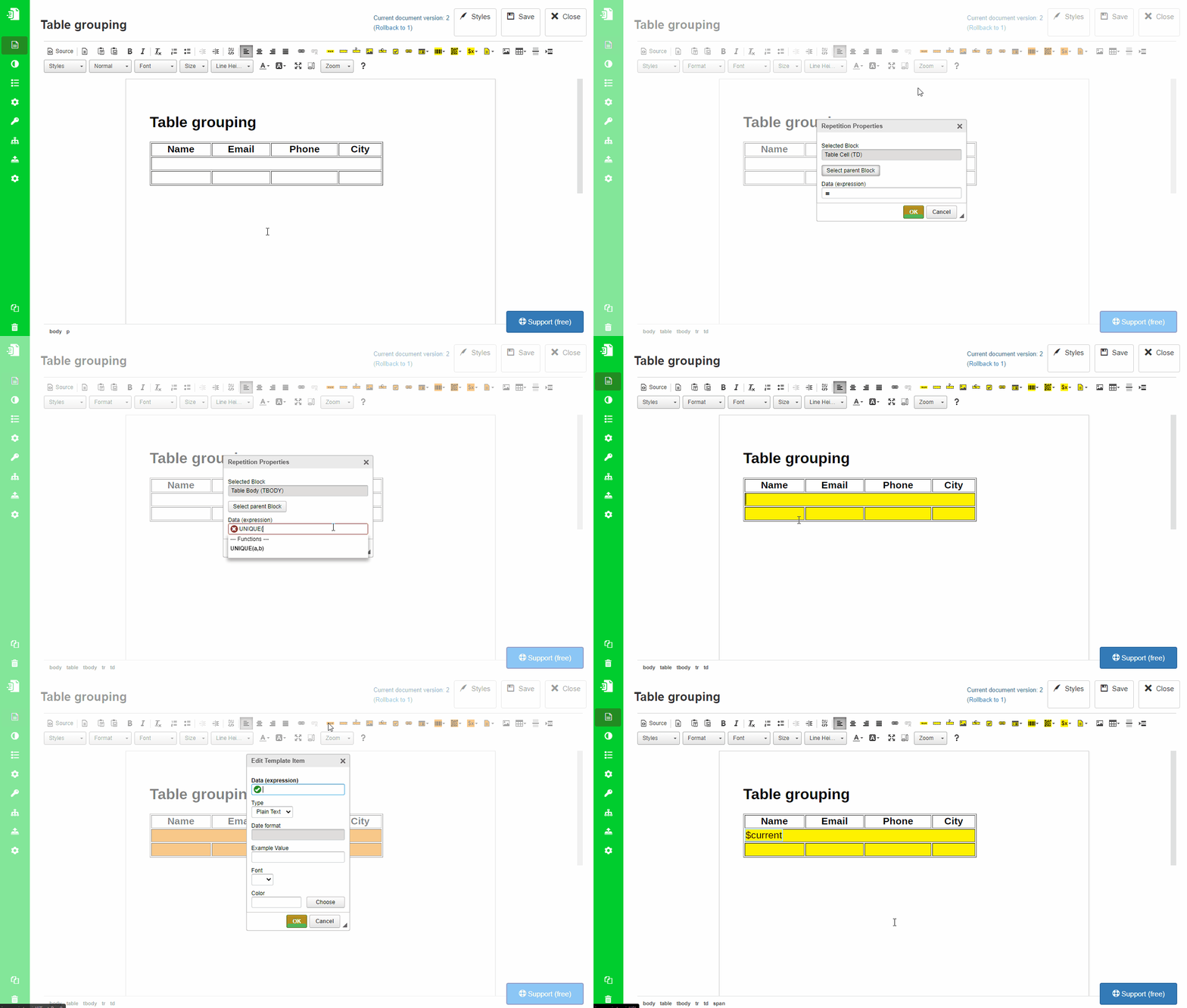
Outer repetition with a unique list
Apply Block Repetition to the tbody.
Use the following expression:
UNIQUE(items, team)
This repeats the table body once for each unique value of team.
To display the group label, insert a Text Box into the first body row and use:
$current
$current refers to the current value produced by the outer repetition.
Nested repetition with FILTER
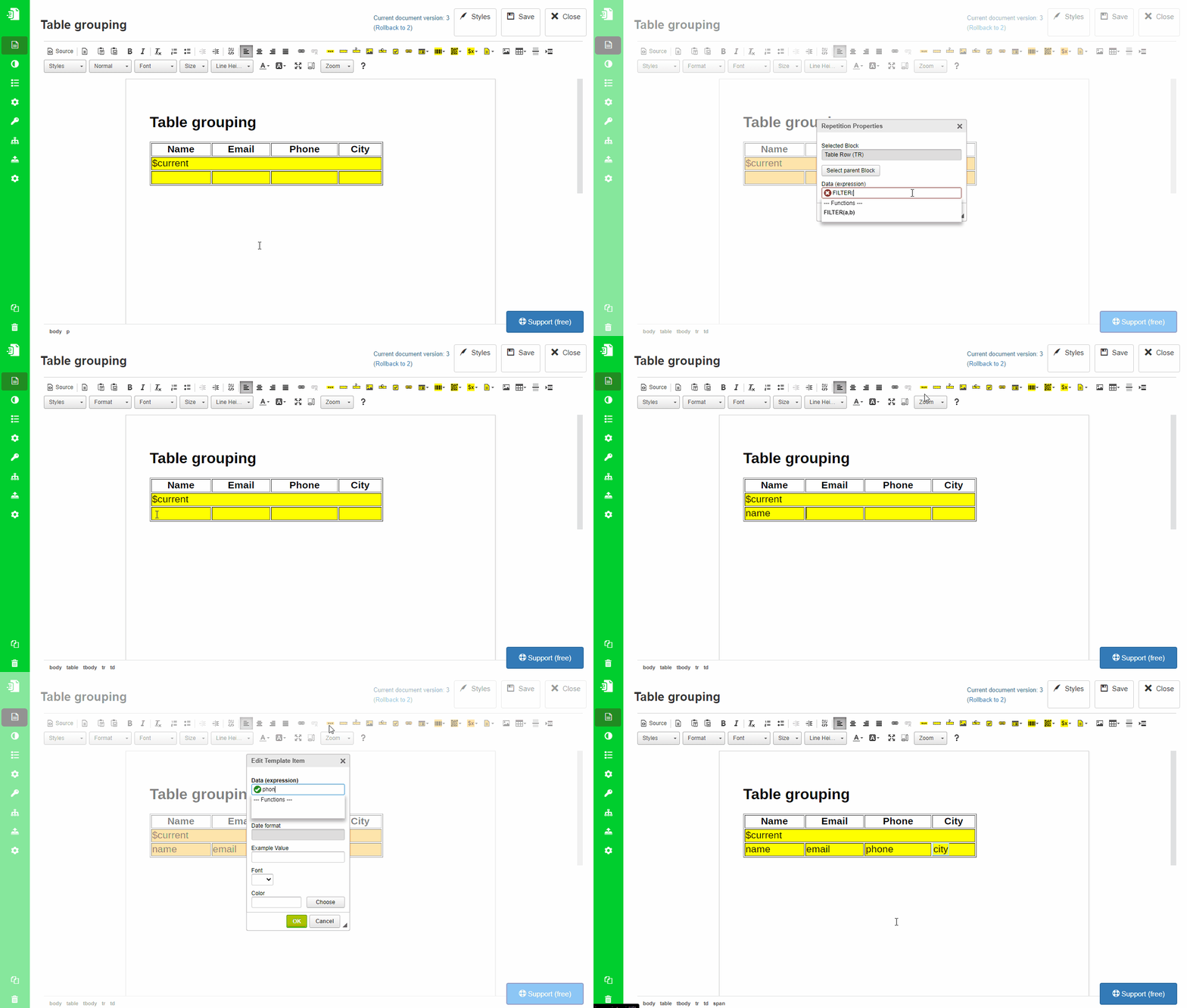
Apply a second Block Repetition to the second table row.
Use the following expression:
FILTER(parent.items, $current == team)
This filters the original items array and keeps only rows where team matches the current group value.
Why parent.items is used
After the outer repetition is applied, the data context changes.
At that point:
itemswould refer to the current repeated item contextparent.itemsrefers back to the original array from the outer level
This is why parent.items must be used in the nested repetition.
Input field type adjustment
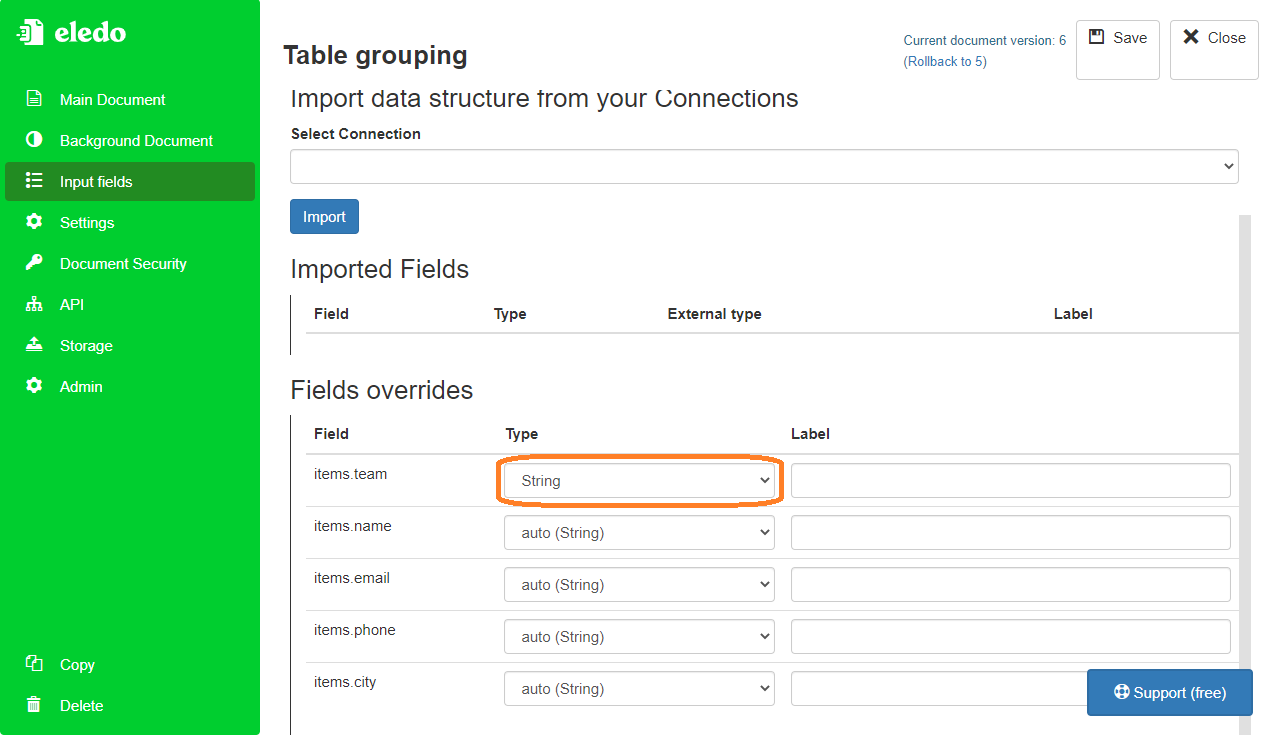
You can inspect the resulting data structure in the Input Fields menu.
In this example, the team field may be resolved as Number because it is used with the == operator.
If team is actually text, you need to manually override its type from Number to String.
Result
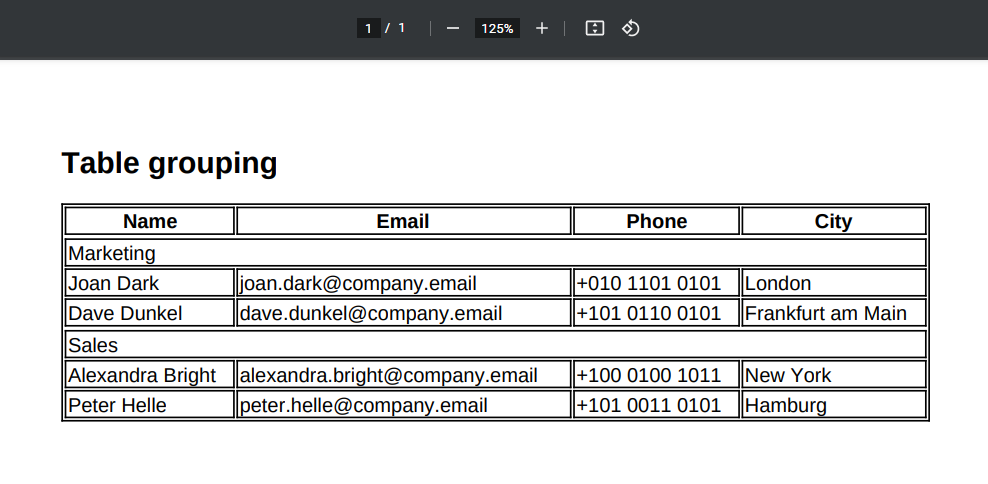
When the document is generated, the rows are grouped by team.
Each group is printed once, followed by all rows that belong to that group.
Important notes
- This is an advanced use case
- It requires Source Mode and a manually adjusted table structure
- It depends on nested Block Repetition components
- It uses
UNIQUE()andFILTER()expressions
Related topics
- Repeating content → Block Repetition
- Editing table structure → Table
- Source editing → Source Mode
- Expressions → Array Functions