Get Started in Two Steps
Set up automated PDF creation in two steps:
- Prepare a document template
- Set up an integration recipe
Template
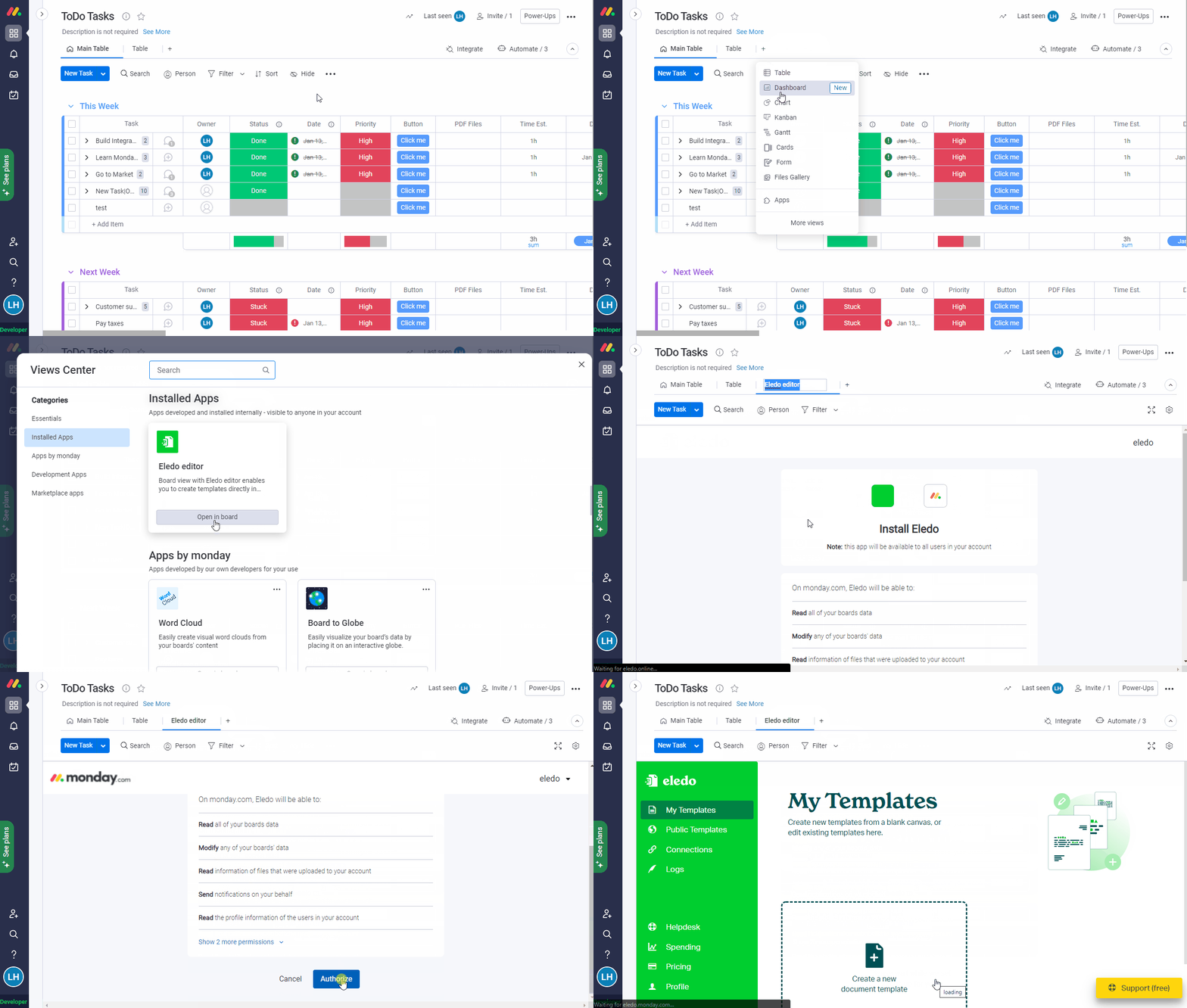
Once your Eledo app is installed from the monday.com App Marketplace, add the Eledo editor as a board view to prepare your document template.
Integration Recipe
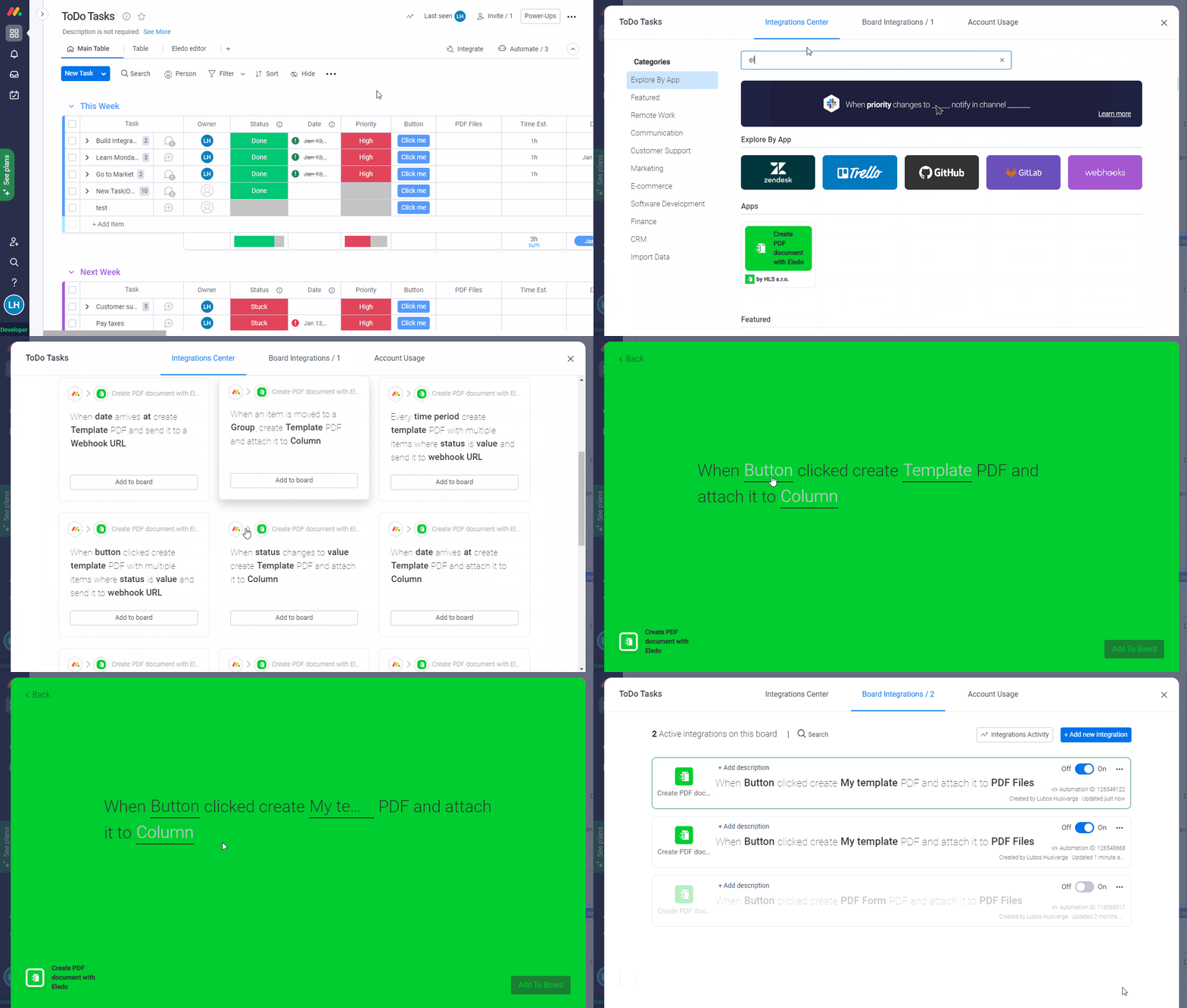
When your template is ready, it's time to use it in your automation. Set up an integration recipe (automation) for your monday.com board using one of the predefined Eledo recipes or actions.
Choose:
- when the document should be created
- which template should be used
- where the document should be uploaded
Was this article helpful?
Yes
No