Populating Dropdown
To populate a Dropdown field in a PDF form using data from your monday.com board, follow these steps:
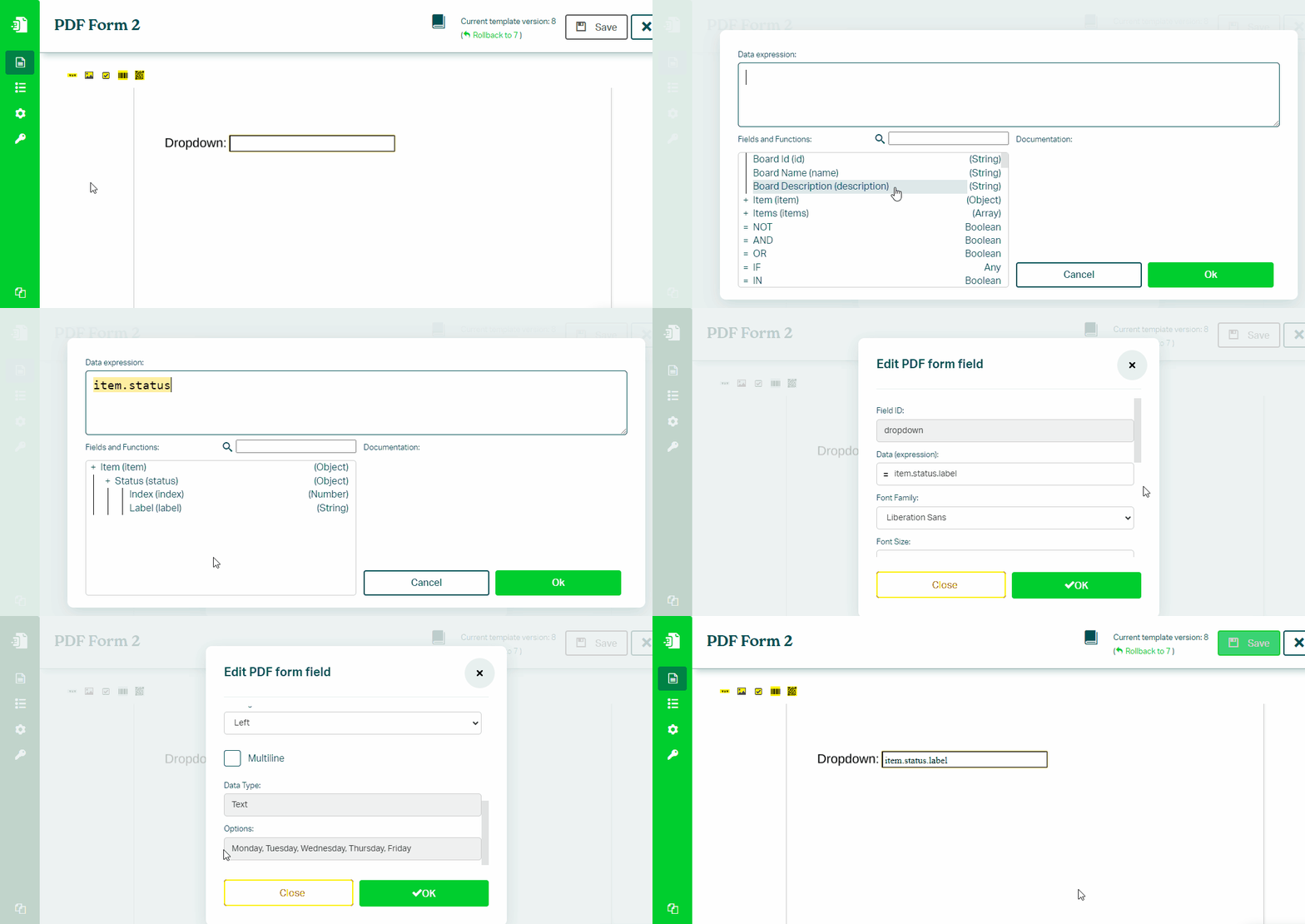
- In the Eledo editor, select the dropdown form field
- Click into Data (expression) to open the expression builder
- Select a value (for example:
item.status.label) - Confirm and apply the value
Value Mapping
Dropdown fields require an exact match between the value and one of the available options.
If the values do not match, use the SWITCH() function to map them.
Example:
SWITCH(
    item.status.label,
    "Mon", "Monday",
    "Tue", "Tuesday",
    "Wed", "Wednesday",
    "Thu", "Thursday",
    "Fri", "Friday"
)
Was this article helpful?
Yes
No