Printing Location Column
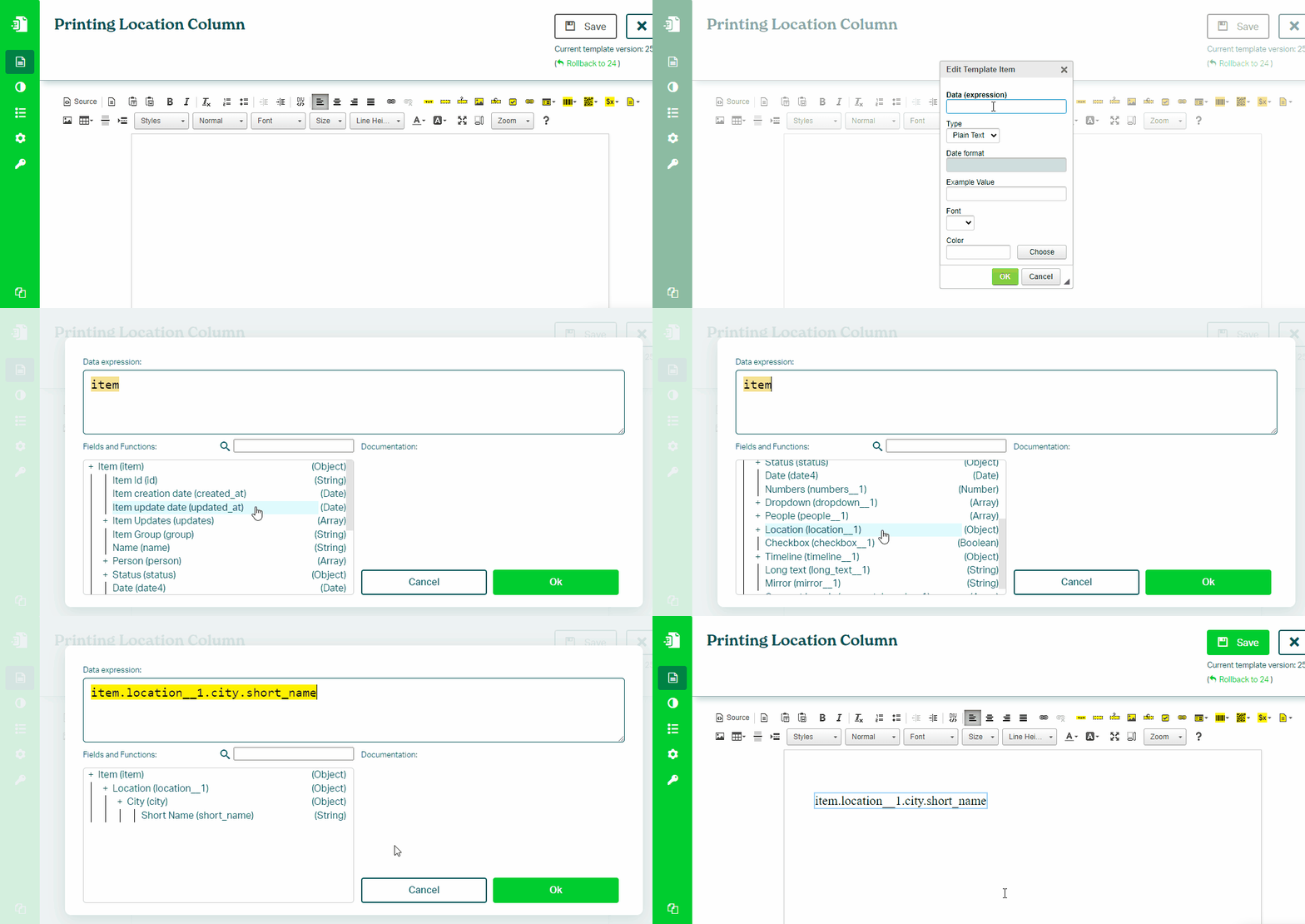
To print a value from a Location column in your monday.com board, follow these steps:
- In the Eledo editor, add a Text Box component
- Click into Data (expression) to open the expression builder
- Select a location field (for example:
item.location.address) - Confirm and place the value into the document
Address Components
You can print the full address or individual parts.
Examples:
item.location.address
item.location.city
item.location.street
Some fields support both short and long formats, depending on the data available.
Was this article helpful?
Yes
No