Printing Phone Column
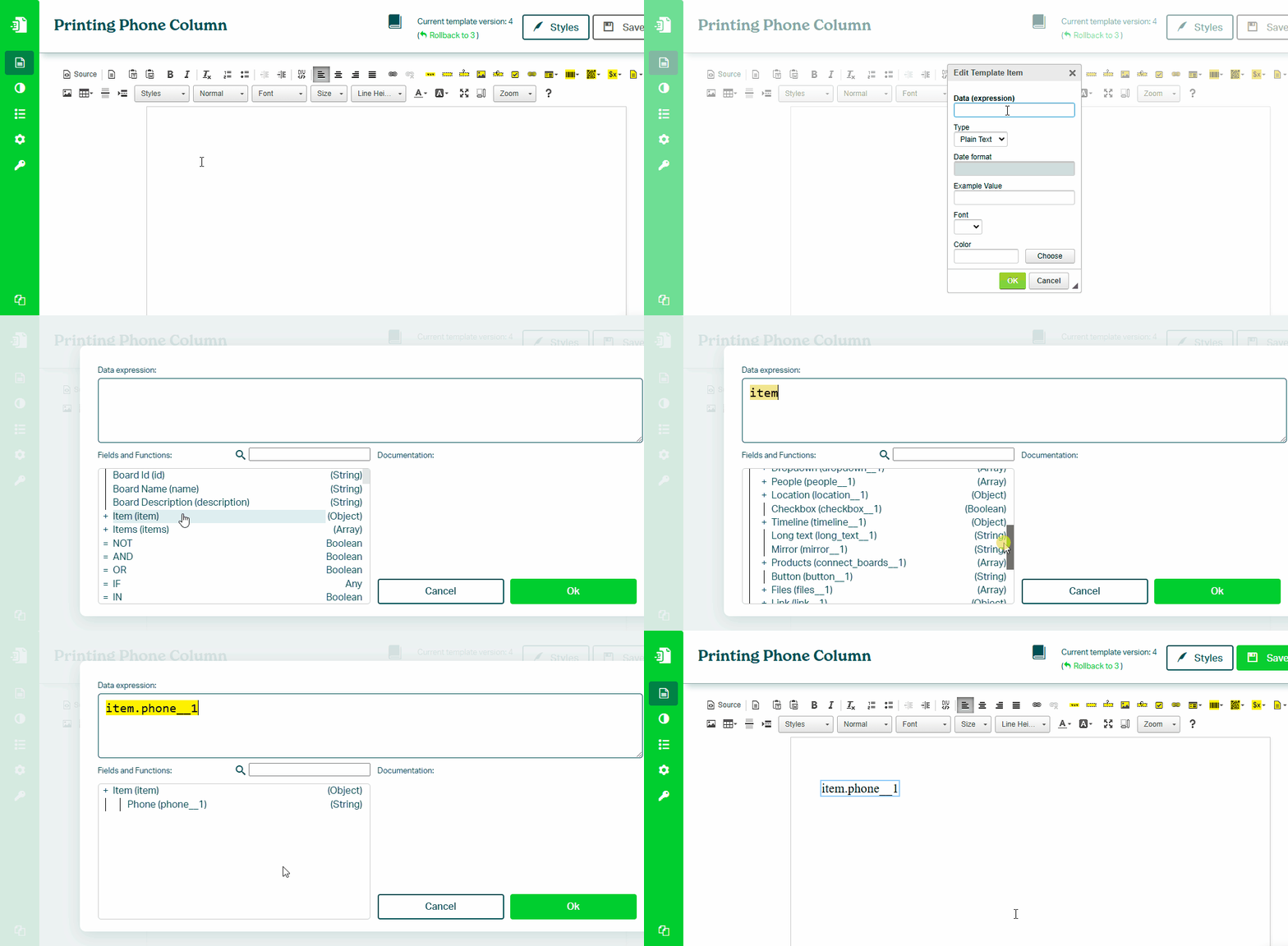
To print a value from a Phone column in your monday.com board, follow these steps:
- In the Eledo editor, add a Text Box component
- Click into Data (expression) to open the expression builder
- Select the phone field (for example:
item.phone) - Confirm and place the value into the document
National Format
Format the phone number using:
PHONE_FORMAT_NATIONAL(item.phone)
International Format
Format the phone number using:
PHONE_FORMAT_INTERNATIONAL(item.phone)
Phone formatting functions depend on the Locale setting of your template.
Make sure the locale includes both language and country (for example: en_US).
Was this article helpful?
Yes
No