Sorting Subitems
The order of items or subitems may be important in your document. You can sort them in your template to ensure a consistent order.
Subitems can be sorted by one or multiple columns with a defined priority.
Sorting Functions
Sorting is done using SORT_ASC() and SORT_DESC() functions in Eledo data expressions.
These functions take:
- a source array
- one or more sorting conditions
Basic Sorting by a Single Column
To sort subitems by a single column in ascending order:
SORT_ASC(item.subitems, "date")
To sort in descending order:
SORT_DESC(item.subitems, "number0")
Sorting by Multiple Columns
You can sort by multiple columns with priority.
Sorting follows the order of columns:
- first column is primary
- next columns are used when values match
Example:
SORT_ASC(item.subitems, "date", "number0")
If you need different sorting directions per column, combine sorting functions accordingly.
Where to Apply
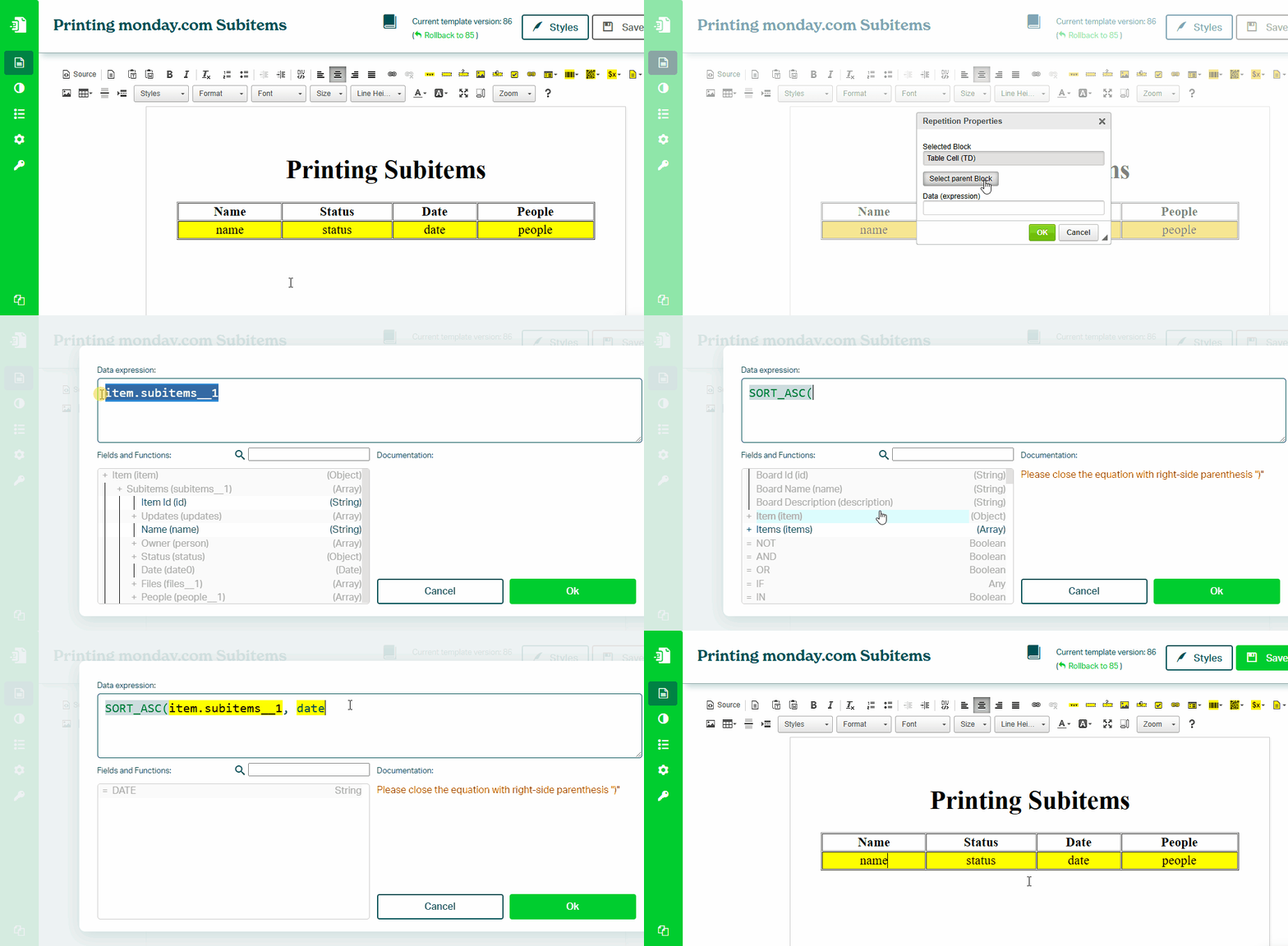
The result of a SORT function is a sorted list.
To print this list, use Block Repetition. Apply the sorting function directly in the Block Repetition data expression.
See: Printing Subitems
Practical Examples
Sorting by Price
SORT_ASC(item.subitems, "number")
Sorts items from lowest to highest price.
Sorting by Date
SORT_DESC(item.subitems, "date")
Sorts items with the most recent first.
Sorting by Text
SORT_ASC(item.subitems, "text1")
Sorts items alphabetically.