Workspace Permissions
In some cases, workspace permissions for the Eledo app may become inconsistent within your monday.com account, causing the app to stop working properly.
This issue can often be identified by the following error message in Eledo Logs:
monday.com API responded with error: Internal server error
Solution
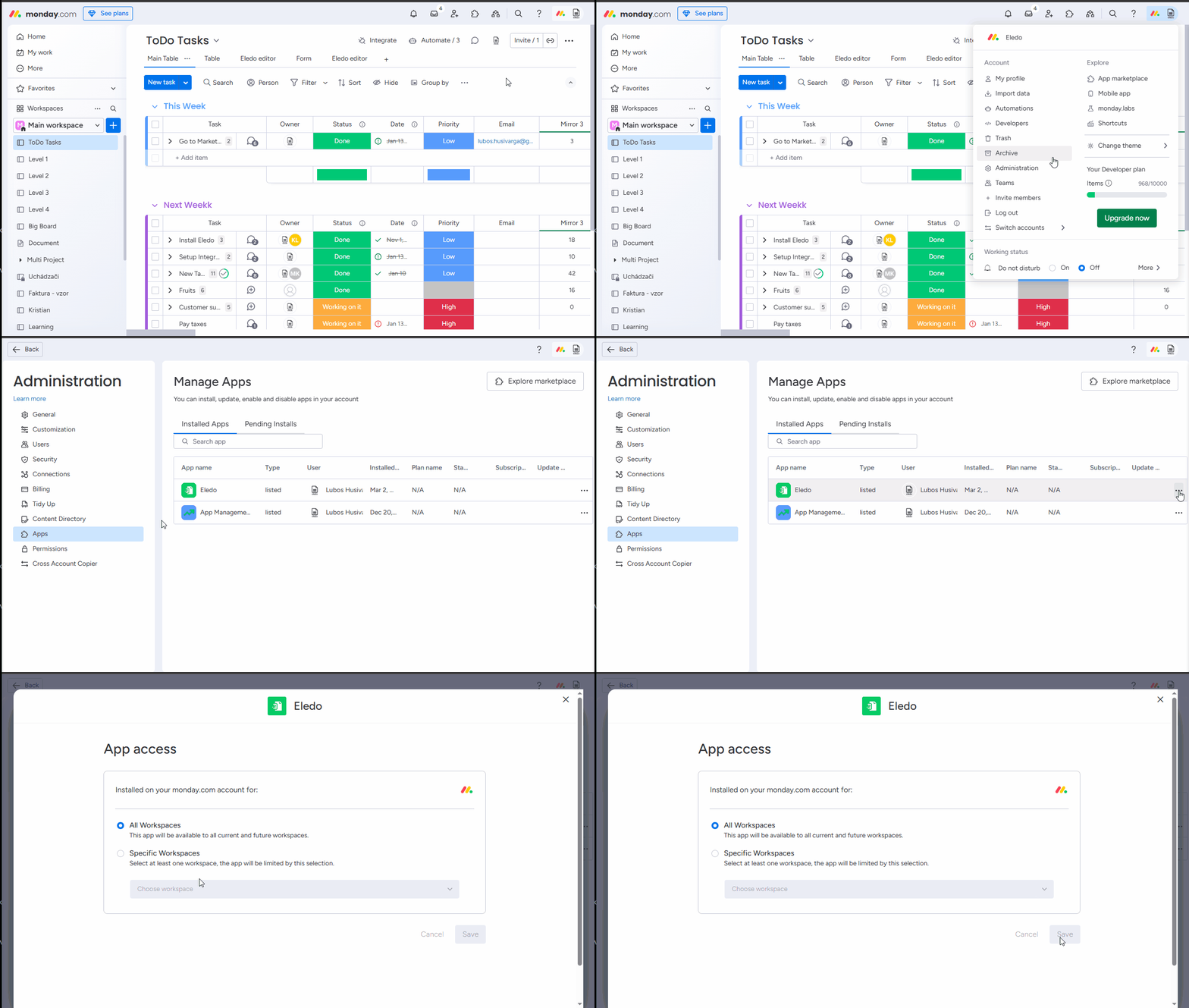
Update the workspace permissions for the Eledo app via the monday.com Administration menu.
The correct permissions are usually already selected, but the goal is to trigger a permissions recalculation. You can do this by temporarily changing the workspace permissions for the Eledo app, then reverting them back to the original state.
Was this article helpful?
Yes
No