Update Payment Method
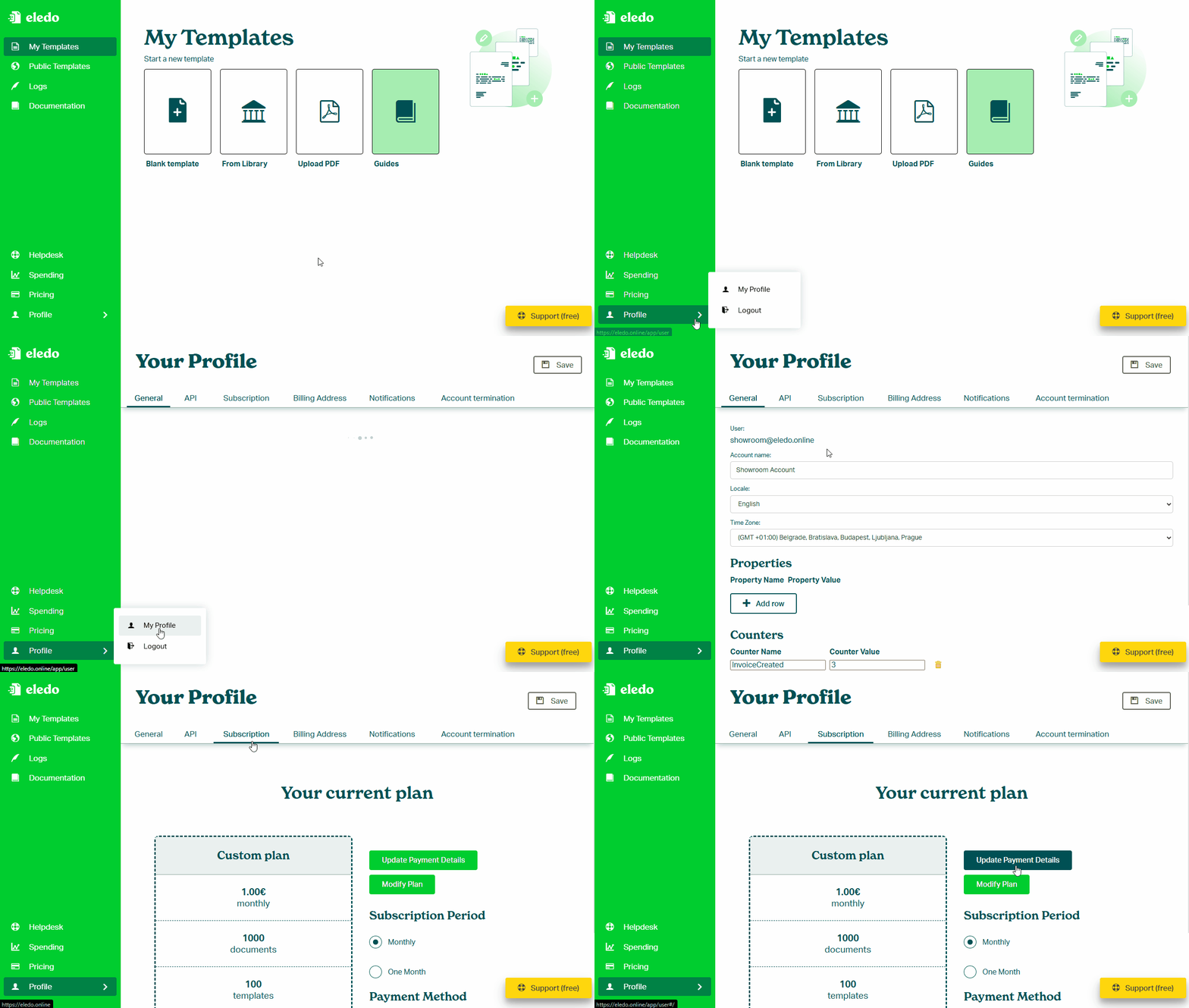
You can update your payment method in the Profile → Subscription section.
How to update payment details
- Open your Profile
- Navigate to the Subscription tab
- Click Update Payment Details
- You will be redirected to the payment gateway
- Update your payment method and confirm
Important notes
- The update is handled by a secure payment provider
- Eledo does not store your payment details
Was this article helpful?
Yes
No