Create QR Code Field
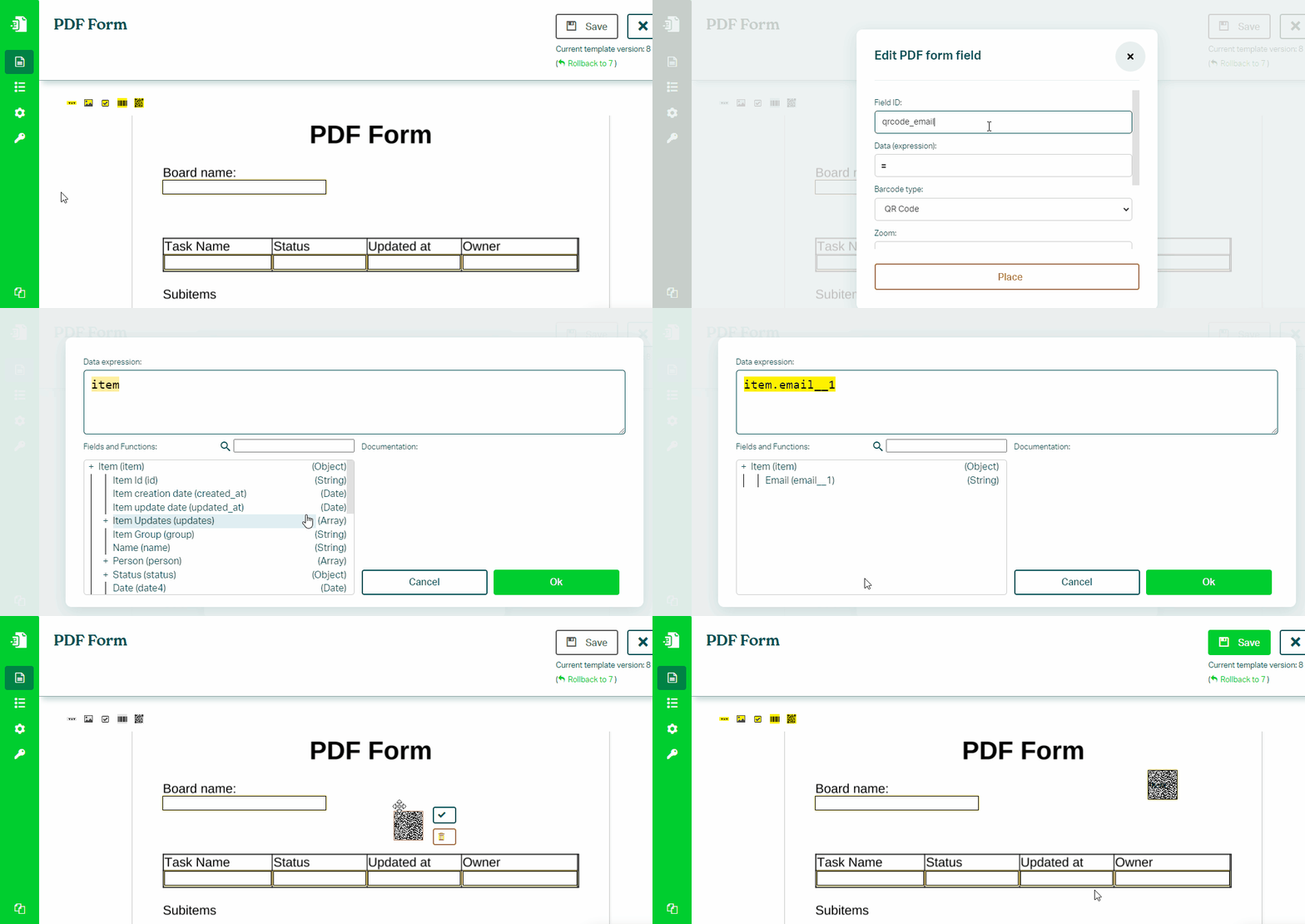
To insert a QR code into your PDF Form, follow these steps:
- In Eledo editor click on a Barcode 2D tool, and configuration window will appear.
- Field ID is a unique identifier of your field. It may contain only letters, numbers, underscore character. No space is allowed.
- For Data (expression) field find and select any column you want to refer to using the Fields navigation menu. See a quick tutorial on how to create a QR code with a link to an item.
- Click on Place button and place the QR code field into your document.
- Confirm twice and you're done!