Data Input
Data input is configured directly inside the Eledo module.
First, select a template. Once selected, Make retrieves the template schema and generates a dynamic input form that mirrors the template fields.
This is the main way to bind your data to template fields in Make.
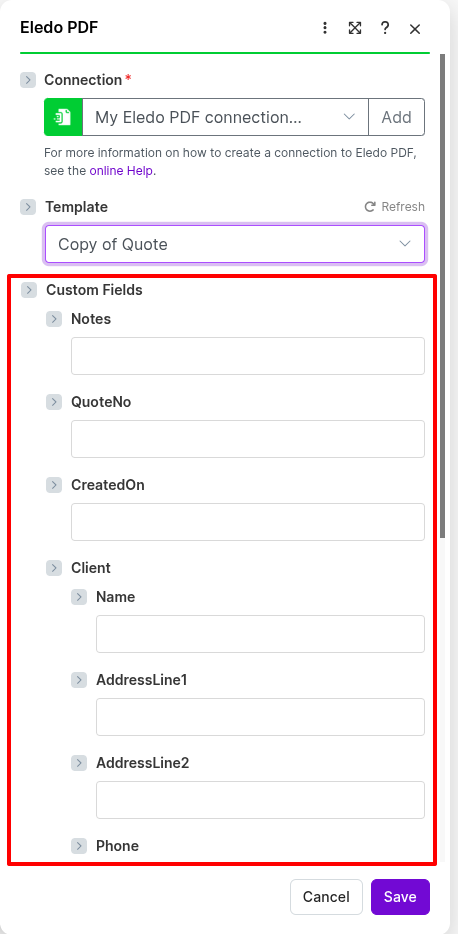
The Make integration currently lists only your private templates. Public templates must first be copied into your account before they can be used in a scenario.
Assigning data to template fields
Because the input form matches your template structure, assigning data is straightforward.
Eledo supports the following field types:
- Text
- Number
- Date
- Boolean
You have four options when filling template fields:
- Map the field to data from a previous module in your scenario
- Enter a static value that will be used in every execution
- Use a Make function to generate a value or transform existing input
- Leave the field empty
You do not need to fill every field. It is up to you to decide which fields should receive data and which should remain empty.
Assigning a static value
To enter a static value, click the desired field and type the value directly.
This is useful for values that do not change between executions.
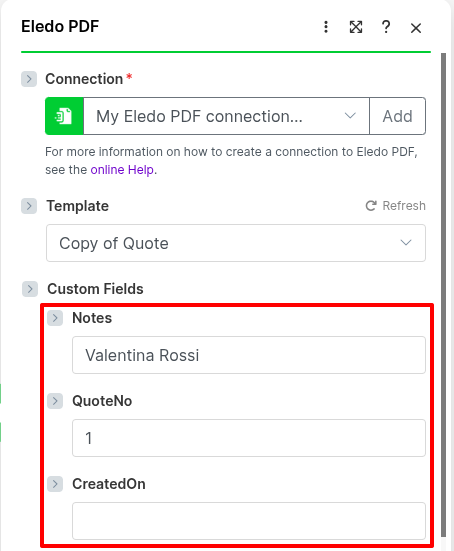
Assigning a dynamic value
Dynamic values come from previous modules in your scenario — for example, a row from Google Sheets or an order from Shopify.
To insert dynamic data:
- Click into the field
- Open the mapping panel
- Insert a value from a previous module by double-clicking it or dragging it into the field
Make displays outputs from previous modules and allows you to map them directly to the selected template field.
Make sure a source module is already added and configured before mapping dynamic values. Otherwise, the data you want to insert will not be available yet.
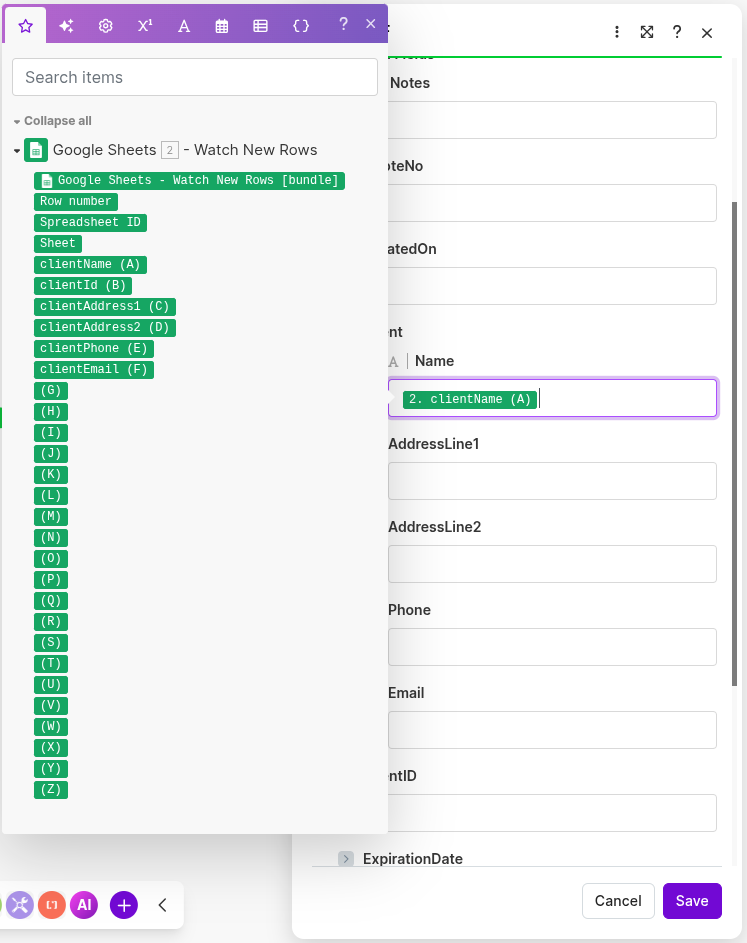
In most scenarios, one value is mapped to one template field.
Using functions in field mapping
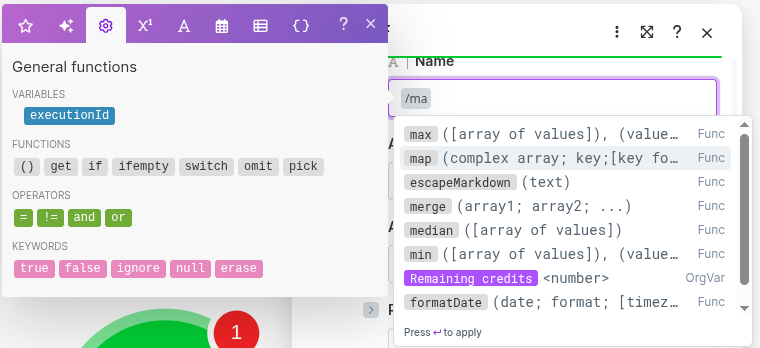
In addition to static values and mapped data, Make also allows you to use built-in functions directly in input fields.
This means you can transform a value before it is sent to Eledo.
Common examples include:
- formatting a date
- modifying a number
- combining multiple values
- applying conditional logic
To use a function, click into a field and insert the function using Make’s mapping tools.
This can reduce the need for extra modules in simpler scenarios.
Complex data
Make supports not only simple fields but also structured objects defined in your template.
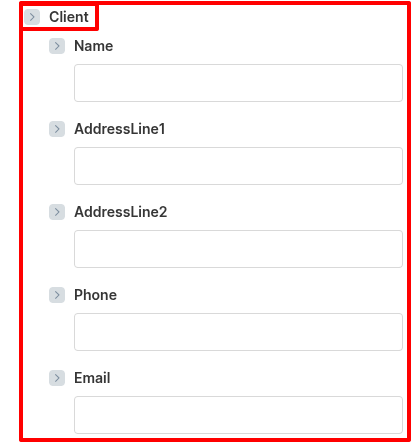
For example, if your template contains a nested object such as Client, Make displays its fields grouped together.
From your perspective, this behaves the same way as filling simple fields — you assign values individually to each visible field.
Repeatable data
If your template contains repeatable rows or lists, Make provides a practical way to assign multiple items.
This is useful for scenarios such as:
- invoice line items
- product rows
- order item lists
This makes Make a good choice for templates that rely on structured or repeated input data.
Important behavior
Make may work with many internal data types, but Eledo defines how input values are interpreted.
In practice:
- values are passed to Eledo as raw input
- Eledo interprets them based on the template field type
- formatting should be handled inside the template
For example, numeric values are typically formatted in the template using Eledo functions rather than inside Make.
This keeps the behavior consistent across different integrations.
Limitations
- Only private templates are available in the Make integration. Public templates must first be copied into your account.
- It is not possible to select a specific template version. The latest published version of the template is always used.
- While Make supports richer internal data structures, the final interpretation of values is always controlled by Eledo template field types.