Easy and Effective Document Automation with Eledo and Make
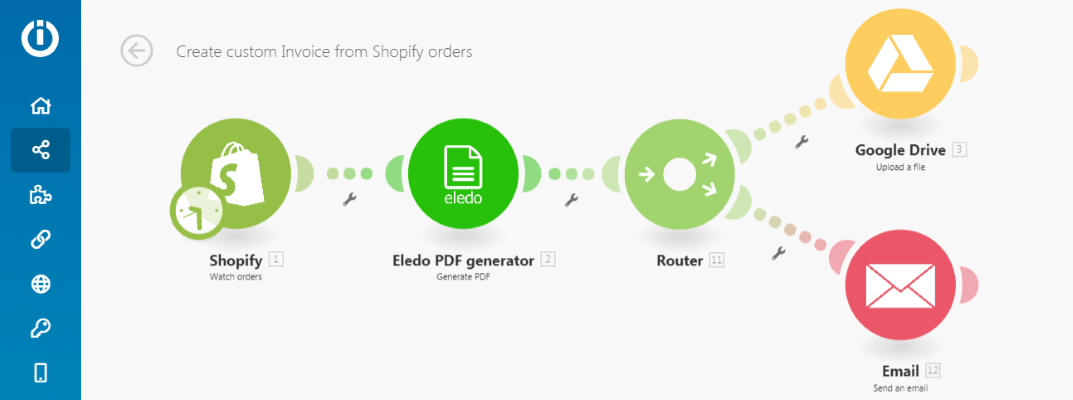
Make is a powerful online tool that connects online services and combines them into automated flows with full control. It makes it very easy to automate everyday business tasks.
Documents are usually part of these workflows. They are used for communication between businesses and clients, so they are very important. Every successful business uses personalized and well-designed documents to impress partners or clients.
This is where Eledo becomes useful. It makes document automation and personalization simple for everyone.
Let's Automate Something
Sign up for Eledo and Make services. This is required because you need to create your own scenario in Make and a document template in Eledo.
Don't worry — both services offer freemium accounts.
In this article we will describe the role of Eledo inside an Make scenario for generating personalized PDF invoices for Shopify orders.
Eledo is also building a public document library that allows you to start quickly with common document types and personalize them later.
Connecting Make and Eledo
You can find the Eledo PDF Generator module directly in the Make module list. However, to activate it you need to create your personal connection.
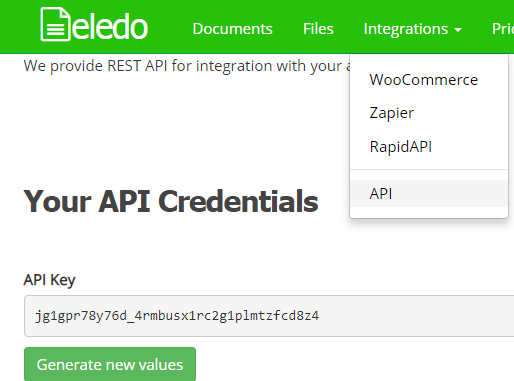
Find your API Key in the Eledo dashboard under:
Integrations → API
Create a new connection in Make and paste your API Key.
Keep this key private and do not share it with others, otherwise they could use your quota or templates. You can generate a new API Key anytime if needed.
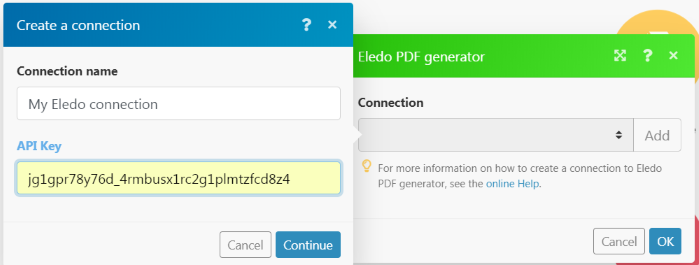
Press Continue to validate and save the connection.
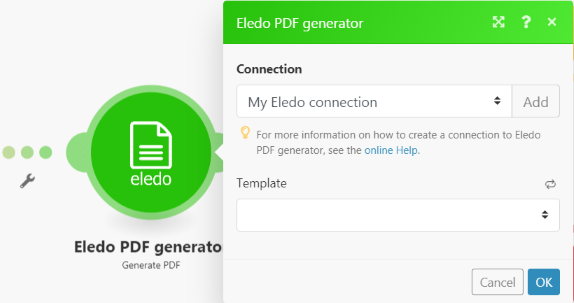
Next, choose a document template. If you haven't created one yet, you can use a public template for testing.
We provide a ready-to-use Invoice for Shopify template for quick setup.
Data Mapping
Eledo automatically prepares the web form and API structure for your document template.
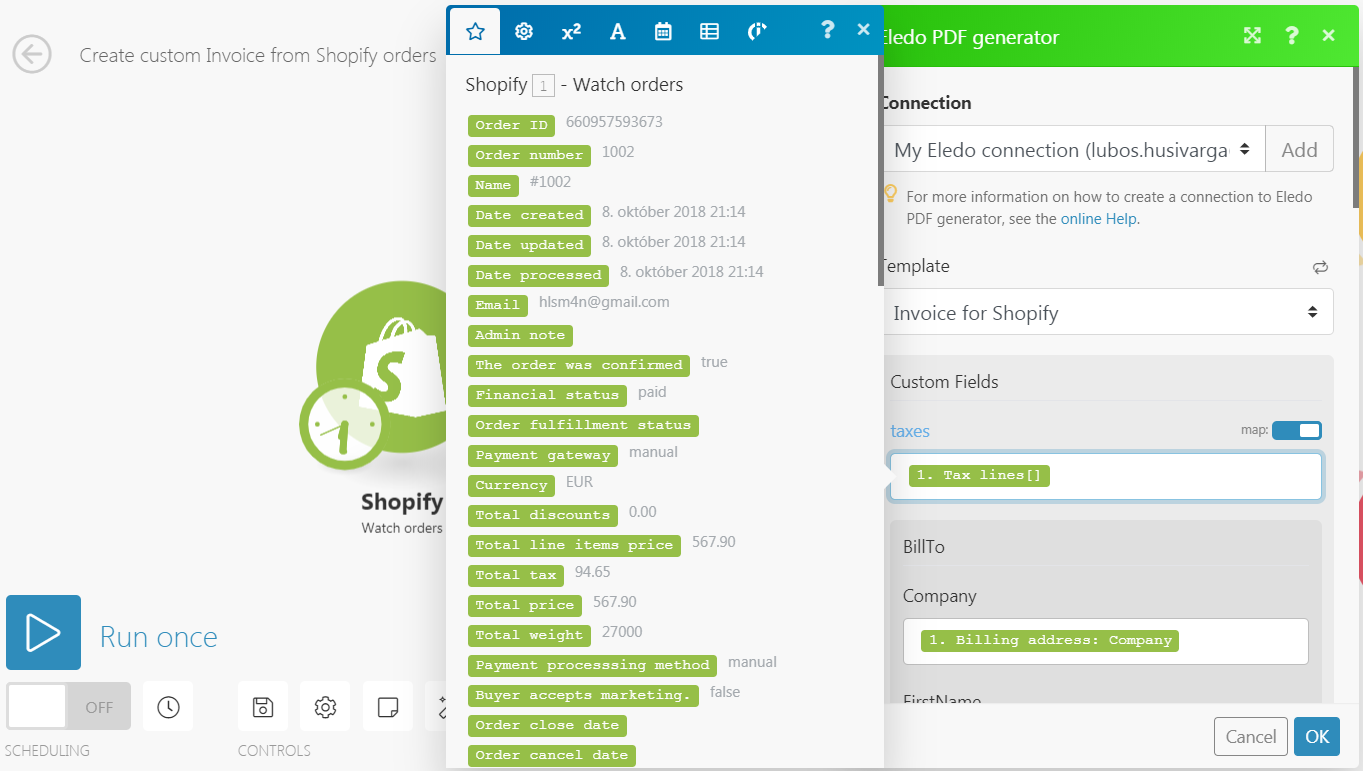
Once your template is saved and activated, you can immediately load the new fields in Make and start mapping your data to generate the PDF.
Invoices are complex documents with many values to transfer, so mapping takes some time to configure properly.
Templates often include line items, which makes this scenario a good example of how Make and Eledo can handle structured data together.
Here Comes the PDF
The output from the Eledo module is a binary PDF file that you can use however you like.
Document generation happens on the fly, and transaction data is not stored in the Eledo cloud by default, because we respect your privacy.
What can you do with the generated document?
You can:
- save it to a file storage
- attach it to an email
- upload it to another service
With Make, there are practically no limits.
For example, uploading to Google Drive is very simple.
The file name is defined in the Eledo template, and it can be dynamic.
Eledo also supports document counters, allowing you to generate unique document numbers automatically.
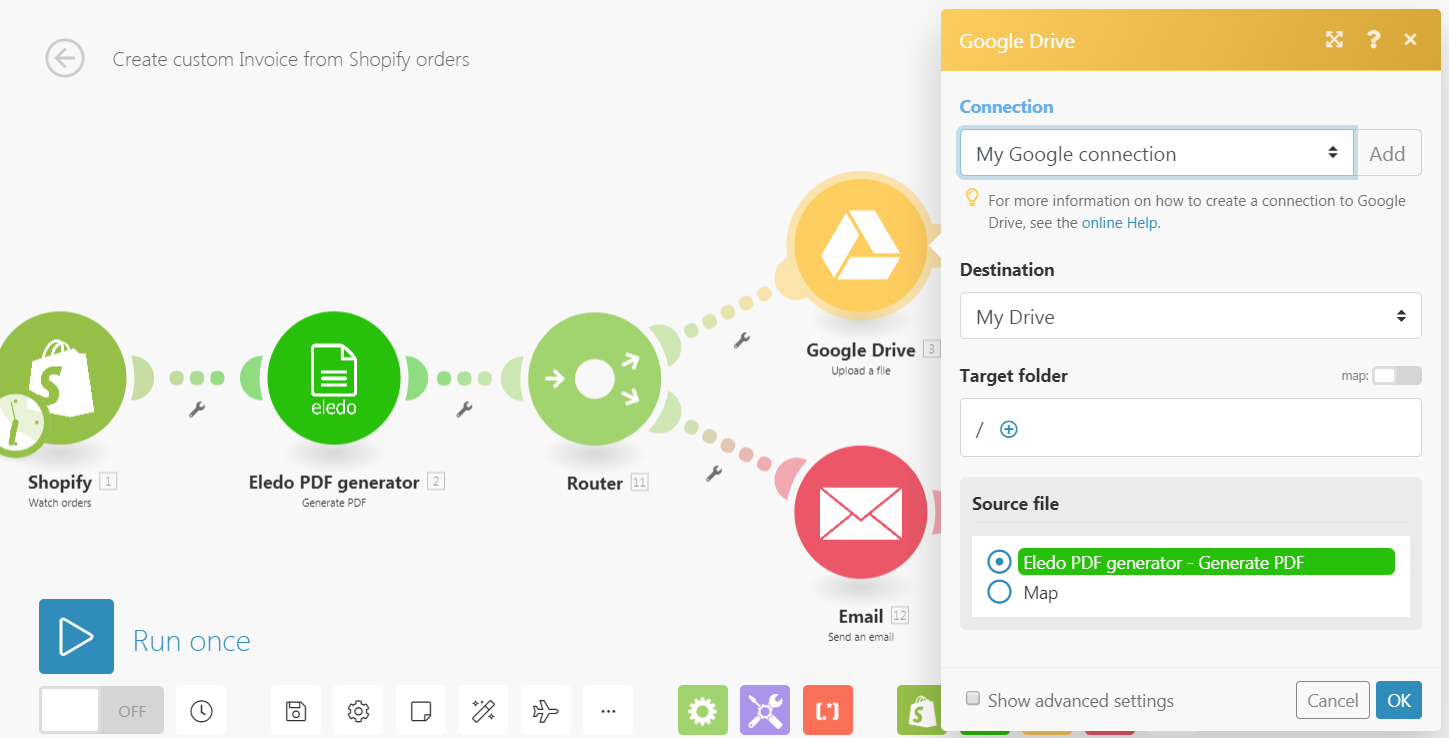
Sending the document as an email attachment works in a similar way.
Notice how the file name is used in the email subject.
In this example, the invoice file name looks like: